“This beginner-friendly guide explains how to use ChatGPT step by step, including prompts, tips, and real examples for 2026.”
If you are new to AI tools, ChatGPT is one of the easiest and most practical tools you can start with. It is simple, flexible, and can help you with writing, research, planning, and everyday tasks. However, many beginners feel confused when they first open ChatGPT because they do not know what to type or how to get useful results.
The good news is that you do not need any technical knowledge to use ChatGPT. You only need to understand how it works and how to ask better questions. Once you learn this, ChatGPT becomes a powerful tool that can save time and improve your work.
What Is ChatGPT
ChatGPT is an AI assistant developed by OpenAI that can understand your questions and generate human-like responses. It works through prompts, which means whatever you type is called a prompt, and ChatGPT responds based on that input.
You can use ChatGPT for many things such as writing blog content, generating ideas, explaining complex topics, summarizing information, and even helping with coding. It is designed to be simple so that beginners can start using it immediately without learning complicated systems.
Latest ChatGPT Models and Features in 2026
ChatGPT has improved a lot in 2026 compared to earlier versions. It is no longer just a simple chatbot. It now uses advanced AI models that can handle complex tasks, long conversations, and even multi-step workflows.
One of the latest models is GPT-5.4, which is designed for more advanced reasoning, better accuracy, and handling large amounts of information. It can work with very long inputs and is more reliable for professional tasks like writing, research, and planning.
There are also different versions of ChatGPT models available depending on the task. Some models are faster and optimized for everyday use, while others are designed for deeper thinking and complex problem-solving.
In 2026, newer models like GPT-5.3 Codex and GPT-5.4 have made this system even more powerful. These models can handle complex development workflows and long-running tasks more efficiently.
For beginners, you do not need to use Codex immediately. But it shows how ChatGPT is evolving from a simple assistant into a more advanced tool that can help with real-world work.
This means beginners can start simple, but as their needs grow, ChatGPT can handle much more advanced work without switching tools.
Why Beginners Should Start with ChatGPT
ChatGPT is one of the best starting points for beginners because it is easy to use and works for multiple tasks. Unlike many other AI tools that focus on specific features, ChatGPT can help with a wide range of activities.
For example, you can use it to write content, understand new topics, plan your day, or generate ideas. This flexibility makes it a perfect first tool for anyone entering the AI space.
If you are exploring different tools, you can also read our guide on Best new AI tools for beginners and compare how ChatGPT fits into the broader ecosystem.
Step-by-Step: How to Use ChatGPT
Step 1: Open ChatGPT
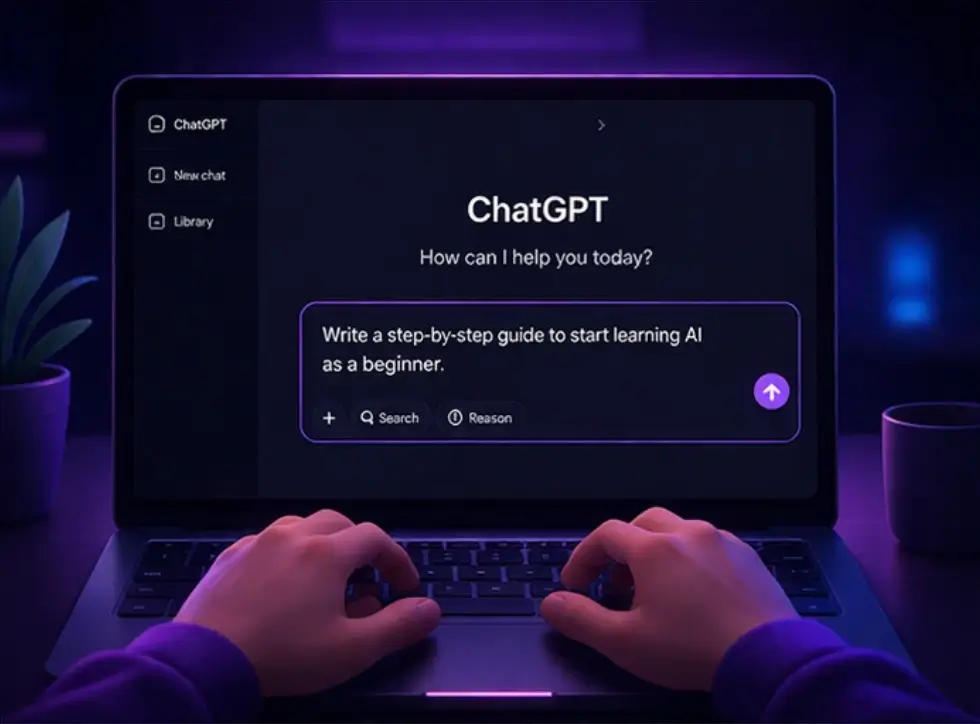
Go to the ChatGPT website or app and log in to your account. You will see a simple interface with a text box where you can type your prompt.
Step 2: Write Your First Prompt
Start with a simple question or instruction. For example, you can type “Explain what AI is in simple words” or “Give me 5 blog topic ideas about fitness.”
Step 3: Understand the Response
ChatGPT will generate a response based on your prompt. Read it carefully and check if it answers your question properly.
Step 4: Ask Follow-Up Questions
You can continue the conversation by asking follow-up questions. For example, you can say “Explain this in simpler language” or “Give more examples.”
Step 5: Improve Your Prompt
If the response is not perfect, improve your prompt. Instead of writing a general request, make it more specific and clear.
If you want an alternative to ChatGPT, check our step-by-step guide on How to use Claude AI for beginners.
How to Use ChatGPT Effectively in Daily Life
One of the biggest mistakes beginners make is using ChatGPT only for random questions instead of real tasks. The best way to learn is to apply ChatGPT to your daily work or routine.
For example, if you are a student, you can use ChatGPT to simplify difficult topics, create short notes, or generate practice questions. If you are a blogger or content creator, you can use it to generate ideas, outlines, and improve your writing. Even for basic daily planning, ChatGPT can help you organize tasks, create schedules, and manage time better.
The key idea is simple. Do not treat ChatGPT as a tool you open occasionally. Use it as something that supports your everyday work. This approach helps you understand its real value much faster.
If your goal is content creation, check out our guide on the Best AI writing tools for beginners in 2026.
How to Write Better Prompts (Very Important)
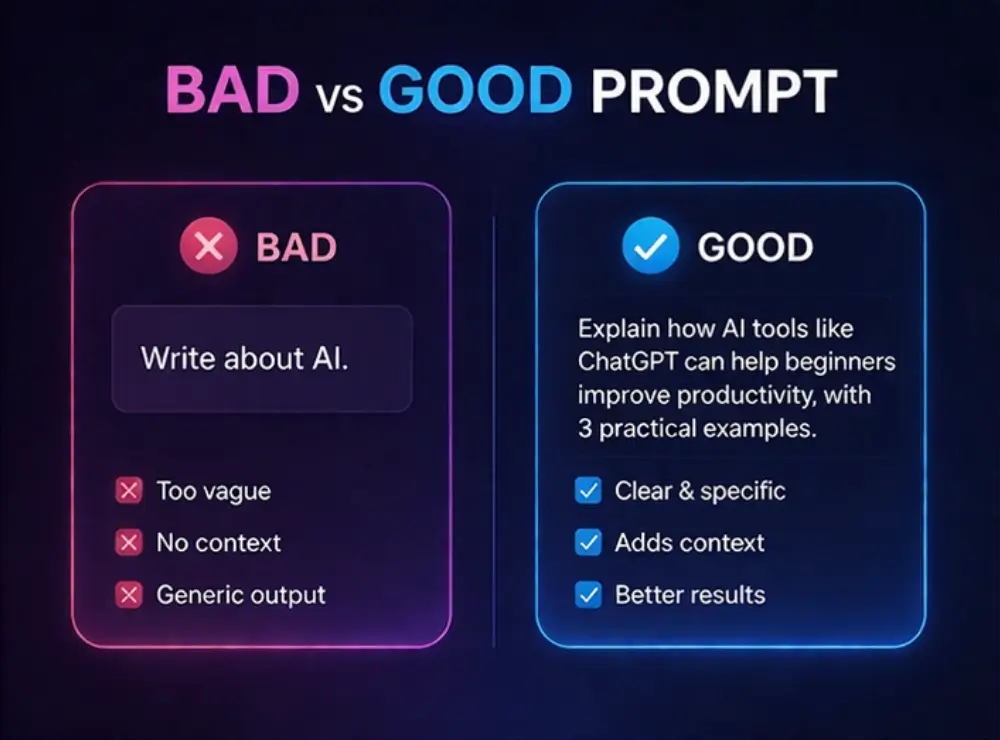
The quality of your output depends on the quality of your prompt. Many beginners make the mistake of writing vague prompts, which leads to weak answers.
Weak Prompt Example
Write something about AI
Better Prompt Example
Write a beginner-friendly explanation of AI in 150 words with simple examples
Simple Prompt Formula
To get better results, include these elements in your prompt:
- What you want
- Who it is for
- Format
- Tone
For example: “Write a simple blog introduction about AI tools for beginners in a friendly tone.”
What Can You Do with ChatGPT? (Real Examples)
Writing Content
You can use ChatGPT to generate blog ideas, write outlines, rewrite paragraphs, and improve content.
Research and Learning
You can ask ChatGPT to explain topics, summarize information, or break down complex concepts into simple language.
Productivity Tasks
ChatGPT can help you plan your day, create to-do lists, and organize ideas.
Creative Work
You can use it for storytelling, generating captions, brainstorming ideas, and more.
If you want more writing-focused tools, you can also check our guide on best AI writing tools for beginners.
While ChatGPT is great for writing and research, it cannot generate realistic videos. For that, tools like Sora are used. Check our article on whether Sora AI is shutting down and the best alternatives available.
Common Mistakes Beginners Make
Many beginners make similar mistakes when using ChatGPT. One common mistake is asking vague questions, which leads to unclear answers. Another mistake is expecting perfect results instantly without refining prompts.
Some users also copy and paste content directly without checking it, which is not recommended. Always review and improve the output to match your needs.
ChatGPT vs Other AI Tools for Beginners
While ChatGPT is one of the most popular tools, it is not the only option available. Tools like Claude, Gemini, and Perplexity AI also offer useful features for beginners.
ChatGPT is best for general use, idea generation, and flexibility. Claude is often preferred for structured writing and longer content. Gemini works well if you are already using Google tools, while Perplexity AI is useful for research-based queries.
As a beginner, you do not need to use all of them at once. It is better to start with ChatGPT and then explore other tools based on your needs. If you want a broader comparison, you can also read our ChatGPT vs Claude guide for beginners.
You can also explore our list of the Best new AI tools in 2026 to discover more tools beyond ChatGPT.
Tips to Get Better Results from ChatGPT
To get better results, always be clear and specific in your prompts. Use step-by-step instructions and experiment with different prompts. Do not hesitate to refine your request multiple times.
Another useful tip is to combine instructions. For example, you can ask ChatGPT to write content and also specify tone, structure, and length in the same prompt.

Simple ChatGPT Workflow for Beginners
Once you understand the basics, the next step is to build a simple workflow. This means using ChatGPT in a structured way instead of asking random questions.
Here is an example workflow for beginners:
- Start with a clear goal. For example, writing a blog post or understanding a topic.
- Ask ChatGPT to create an outline or basic explanation.
- Refine the output by asking follow-up questions or improving sections.
- Review and edit the content manually to make it more natural and accurate.
This simple workflow helps you move from basic usage to more effective usage. Over time, you can expand this process based on your needs.
Final Thoughts
ChatGPT is one of the most beginner-friendly AI tools available today. You do not need advanced skills to use it. You only need to practice asking better questions and understanding how to refine your prompts.
Instead of trying multiple tools at once, start with ChatGPT and build your confidence. Once you understand how it works, you can explore other AI tools more effectively.
If you’re just starting your AI journey, we recommend reading our complete guide on How to use AI tools as a beginner in 2026.
Frequently Asked Questions
What is ChatGPT used for?
ChatGPT is used for writing, research, planning, idea generation, and many other tasks.
Can I use ChatGPT for daily tasks?
Yes, ChatGPT can help with daily tasks like planning, writing emails, organizing ideas, and learning new topics. Many beginners find it useful for improving productivity.
Can beginners use ChatGPT easily?
Yes, it is designed for beginners and requires no technical knowledge.
How can I improve ChatGPT results?
You can improve results by writing clear and specific prompts and refining them.
Is ChatGPT better than other AI tools?
ChatGPT is one of the most flexible AI tools, but the best tool depends on your needs. Some tools are better for writing, while others are better for research or specific tasks.
Is ChatGPT free to use?
Yes, there is a free version available with basic features.
Can ChatGPT replace human work?
No, ChatGPT is a support tool. It can help you work faster, but it should not completely replace human thinking, editing, and decision-making.
How long does it take to learn ChatGPT?
You can learn the basics in a few hours, but improving your prompt skills and getting better results takes practice over time.