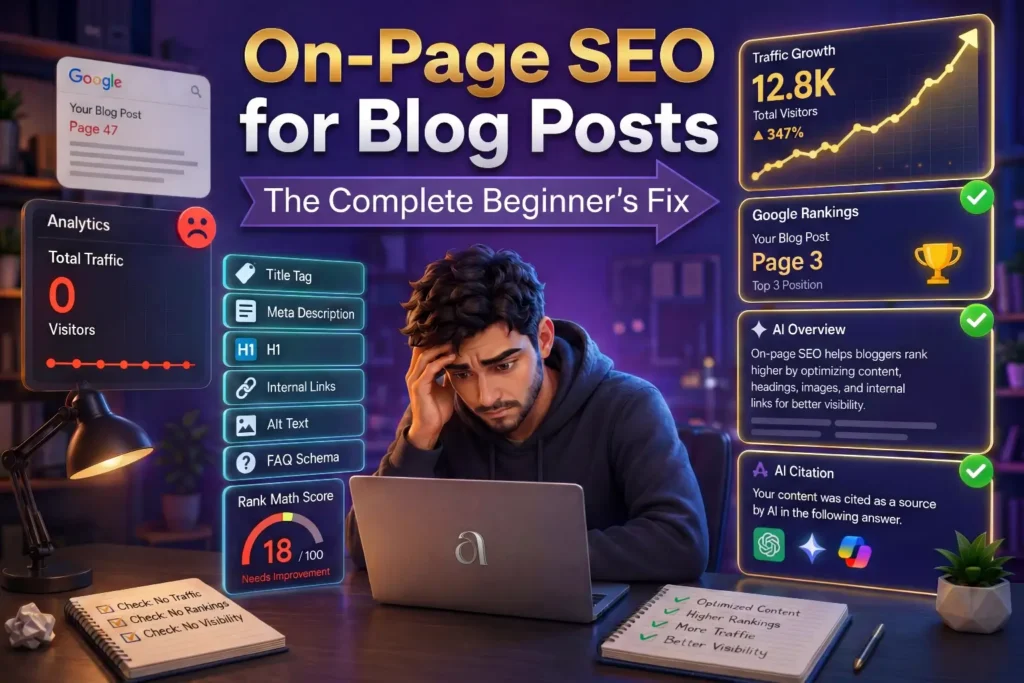
“This guide explains every on-page SEO element that matters for beginner bloggers in 2026 – what each one does, where it goes, and exactly how to use AI tools to get it right before you hit publish.“
You spent hours writing a blog post. You published it. You waited. And then nothing happened.
No traffic. No rankings. No readers.
This is one of the most common and most frustrating experiences for new bloggers. The instinct is to assume the writing was not good enough or the topic was wrong. But in most cases the real reason is much simpler and much more fixable. The article was never properly optimized for search engines before it went live.
On-page SEO is the set of specific things you do inside your article – not just the words you write, but how you structure them, label them, and signal their relevance to Google – so that search engines can find, understand, and rank your content correctly.
Without it, even a brilliantly written article stays invisible.
The good news is that on-page SEO is not complicated. It is a checklist of specific elements, each with a clear purpose. Once you understand what each element does and where it goes, optimizing every article becomes a predictable process rather than a guessing game.
And in 2026, AI tools make this process significantly faster. You can use ChatGPT and Claude to refine your titles, improve your meta descriptions, check your headings, and even audit your content – all before you publish.
This guide covers every element of on-page SEO for blog posts that matters for bloggers, explains each one in plain language, and shows you how to use AI to make it easier.
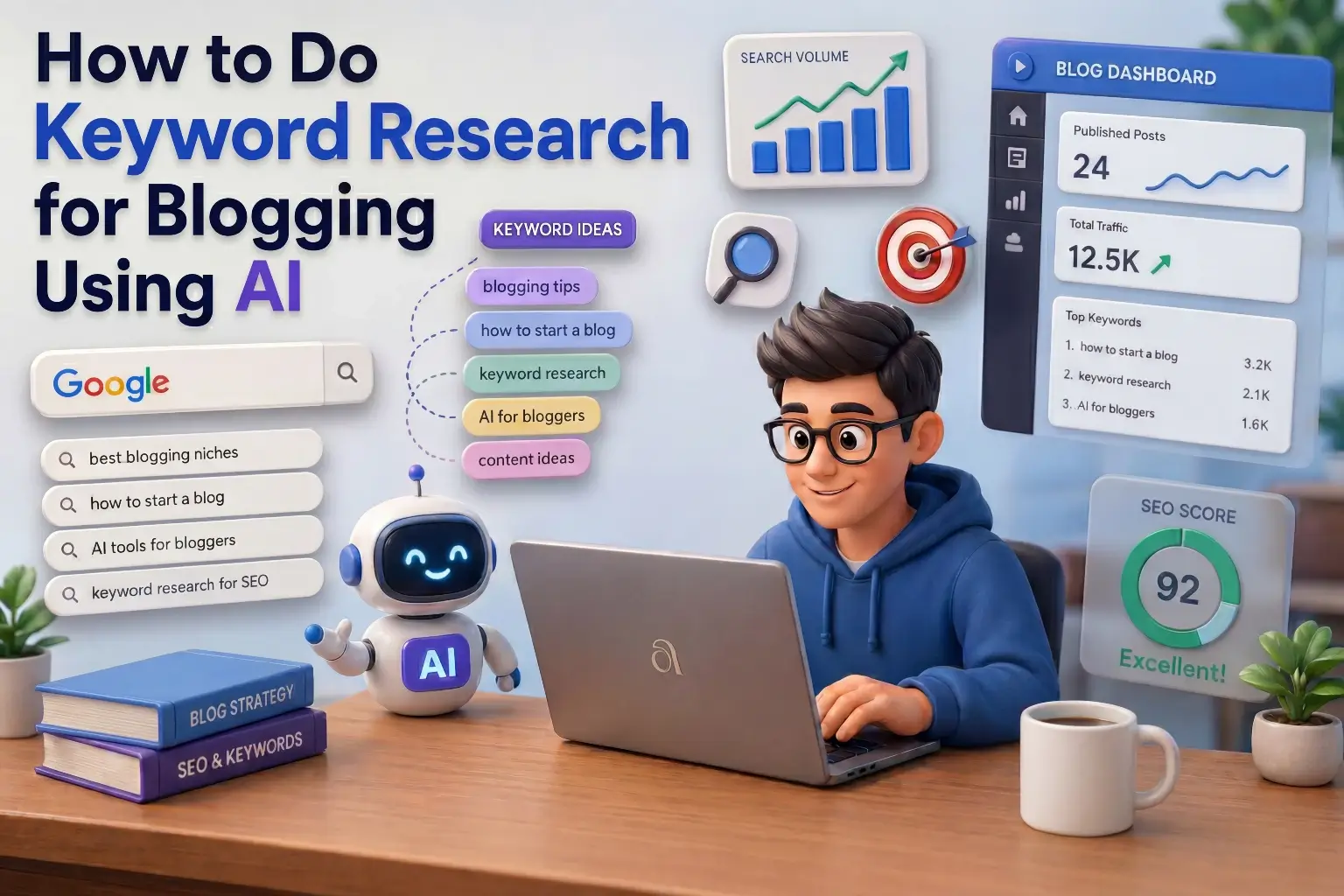
If you have not yet found your keyword before writing your article, start with our guide on How to Do Keyword Research for Blogging Using AI first. On-page SEO only works when you have the right keyword to optimize around.
What Is On-Page SEO and Why Do Beginners Get It Wrong
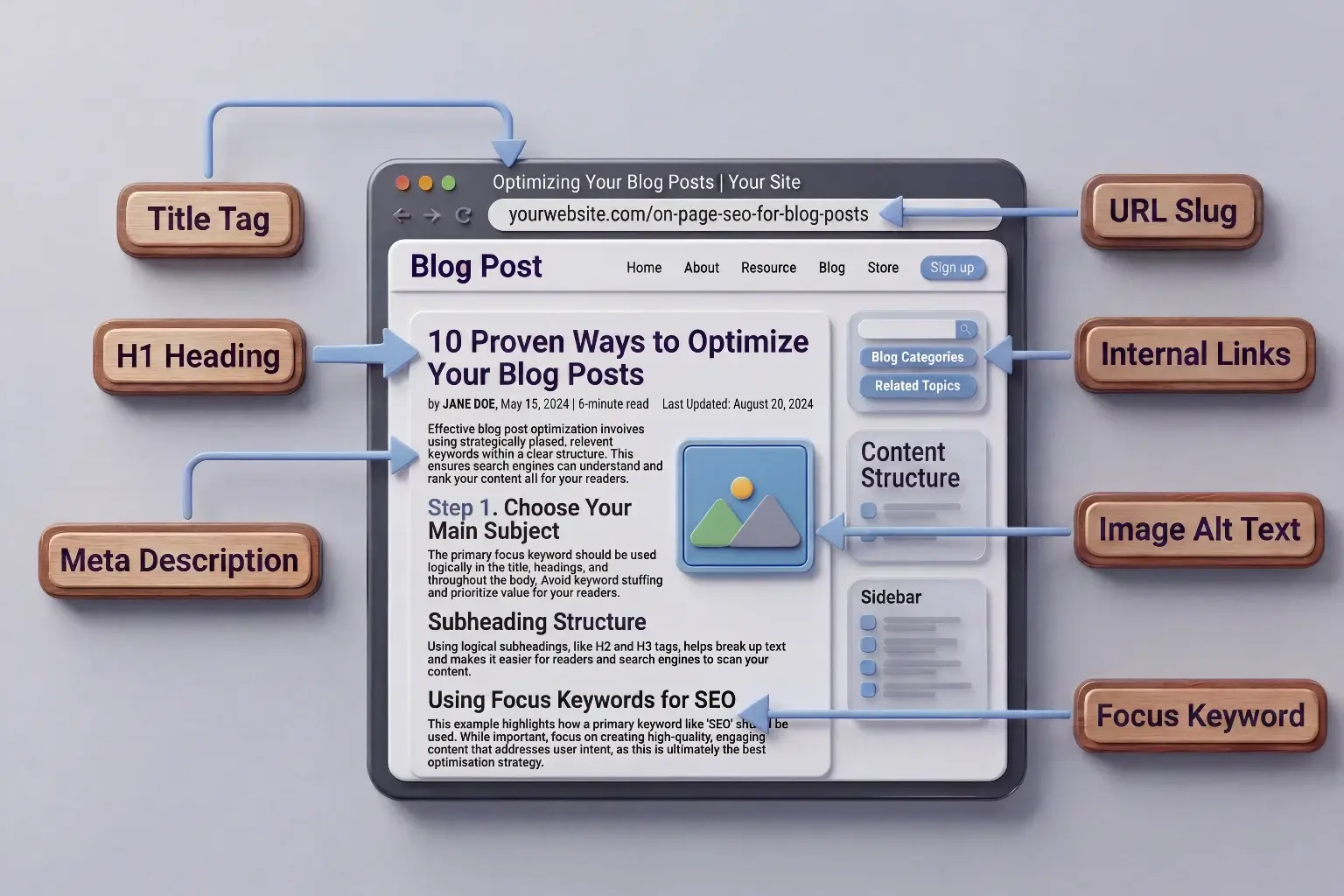
On-page SEO is everything you optimize directly on a web page to help search engines understand what it is about and why it should rank for a specific search query.
It includes your title, your headings, your URL, your meta description, your images, your internal links, and the way you use your keyword throughout the content. These are all elements that sit on the page itself – as opposed to off-page SEO which involves things like backlinks from other websites.
Most beginners get on-page SEO wrong for one of three reasons.
- The first reason is that they focus entirely on writing and ignore the technical signals. Writing well is essential but it is not enough on its own. Google cannot rank what it cannot understand. The structural signals – title tags, heading hierarchy, keyword placement – are how you communicate meaning to search engines clearly.
- The second reason is that beginners treat on-page SEO as something you do after writing. In reality the most effective approach is to plan your on-page elements before you start writing and then refine them after. This gives your content a clear structure from the beginning rather than trying to squeeze optimization into something already finished.
- The third reason is that beginners optimize for keyword density – trying to use a keyword a specific number of times – rather than optimizing for clarity and relevance. Search engines in 2026 are sophisticated enough to understand meaning and context. They reward content that answers questions well, not content that repeats a phrase mechanically.
How On-Page SEO Has Changed in 2026
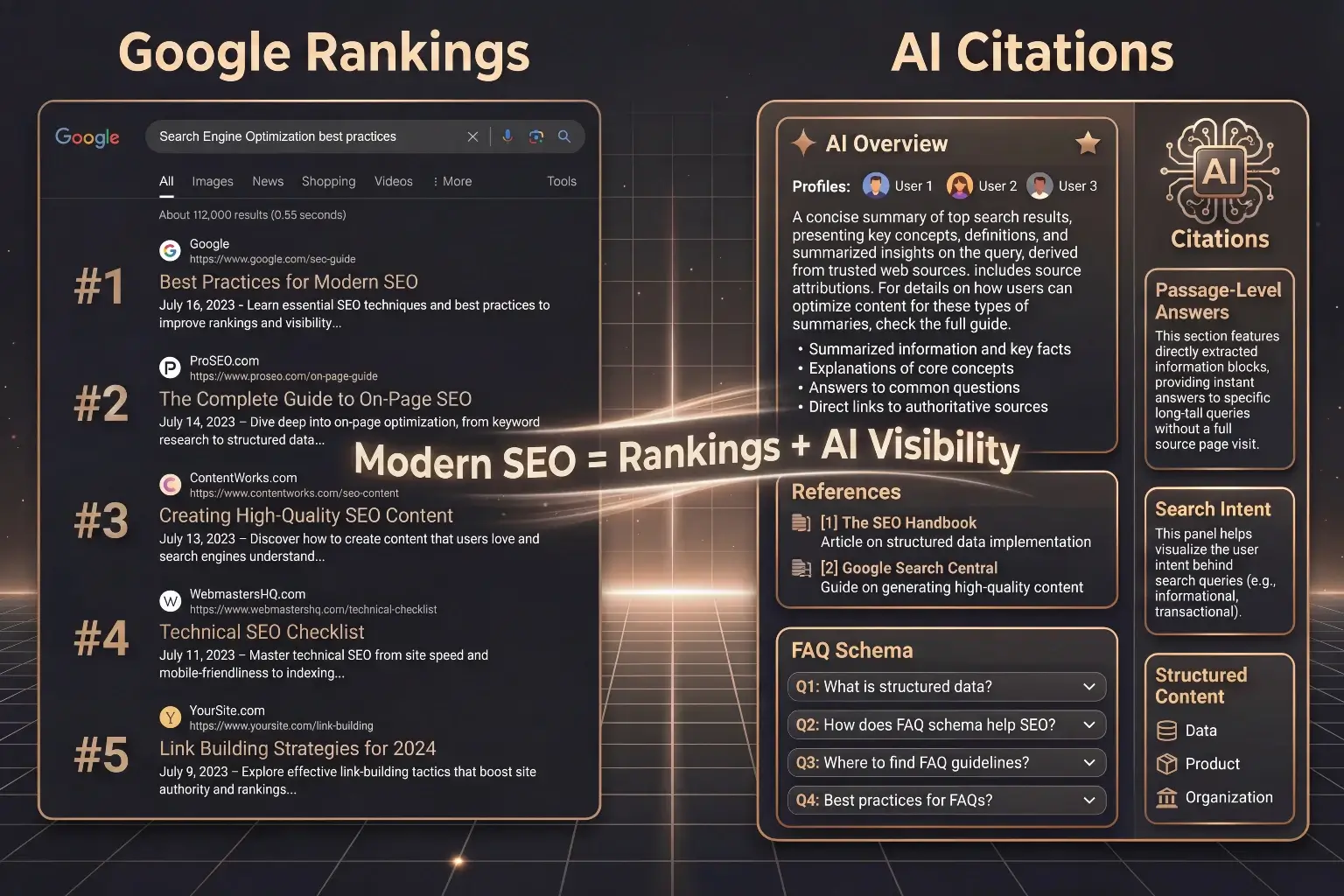
On-page SEO in 2026 serves two audiences simultaneously and understanding this changes how you approach it.
The first audience is Google’s ranking algorithm which determines your position in traditional search results. The second audience is AI systems – ChatGPT, Perplexity, Claude, and Google’s own AI Overviews – which increasingly pull answers directly from web pages and cite them in generated responses.
This means on-page SEO is no longer just about ranking. It is also about being cited. And the requirements for being cited by AI systems overlap significantly with good on-page SEO practice – clear structure, direct answers, well-labeled sections, and content that genuinely addresses what the reader is asking.
In 2026, on-page SEO is no longer just about ranking on Google. You must optimize your blogs for AI visibility and intentionally create content that AI systems can extract, trust, and cite. Modern AI engines read content at the passage level, evaluate structure and credibility, and prioritize pages that clearly answer questions.
What this means practically is that every section of your article should begin with a clear, direct answer to the question that section addresses. AI systems extract answers in small, self-contained passages. If your section heading asks a question and your first sentence answers it directly, both Google and AI systems can confidently use that section in search results.
Blog SEO best practices in 2026 have to serve two audiences simultaneously:
- the ranking algorithm that determines your position on Google’s SERP
- the AI systems that decide whether your content is cited in a generated answer.
This guide is written with both audiences in mind. Every element below helps you rank on Google and get cited by AI tools.
The Complete On-Page SEO Checklist for Blog Posts
Here is every element you need to optimize in every blog post you publish. Work through this checklist before hitting publish on any article.
for Bloggers
14 must-check items
1. Focus Keyword Placement
Your focus keyword is the specific phrase you want the article to rank for. It is the foundation of every other on-page SEO decision you make.
Your focus keyword should appear in these specific places:
- Title tag – the SEO title that appears in Google search results
- H1 heading – the main title visible on your page
- First paragraph – ideally within the first 100 words of the article
- At least one H2 subheading – naturally, not forced
- URL slug – the web address of the article
- Meta description – the summary shown in search results
- Image alt text – at least one image should have the keyword in its alt text
- Throughout the content – naturally, as part of explaining the topic
The goal is not to hit a specific number of mentions. The goal is to use your keyword in the places where search engines expect to find it so they can clearly understand what the article is about.
If you are using Rank Math, it will show you green checkmarks as you optimize each of these placements which makes this easy to track.
2. Title Tag
Your title tag is the clickable blue headline that appears in Google search results. It is one of the most important on-page SEO elements because it directly influences whether someone clicks your article or keeps scrolling.
A good title tag does three things:
- It contains the focus keyword, preferably near the beginning.
- It accurately describes what the article delivers.
- It gives the reader a compelling reason to click.
Keep your title tag under 60 characters. Anything longer gets cut off in search results and looks incomplete to readers.
Here is the difference between a weak title and a strong one.
- Weak: How to Do SEO for Blog Posts
- Strong: On-Page SEO for Blog Posts: The Complete Beginner’s Fix (2026)
The stronger version contains the keyword, sets clear expectations, signals freshness with the year, and uses a word like “complete” that tells readers they will get everything they need in one place.
Use ChatGPT or Claude to generate multiple title tag options and choose the one that balances keyword placement with genuine appeal. A prompt like “Give me five title tag options for an article about on-page SEO for beginner bloggers, each under 60 characters” will give you a strong shortlist to choose from.
3. Meta Description
Your meta description is the short paragraph of text that appears below your title in search results. Google does not use it as a direct ranking factor but it significantly influences your click-through rate – which does affect your rankings indirectly.
A good meta description summarizes what the reader will get, includes the focus keyword naturally, and creates enough curiosity or clarity that they click instead of skipping.
Keep it between 140 and 160 characters. Anything longer gets cut off.
Here is an example of a weak versus strong meta description.
- Weak: Learn about on-page SEO for blog posts in this guide.
- Strong: Most beginner blog posts never get found – not because the writing is bad, but because on-page SEO is missing. Here is the complete fix, step by step.
The stronger version identifies the problem the reader has, hints at the cause, and promises a solution. It speaks directly to the reader’s situation rather than just describing the article generically.
AI tools are particularly useful for writing meta descriptions. Give ChatGPT your article title and focus keyword and ask it to write three meta description options under 155 characters. Pick the one that sounds most natural and directly addresses your reader’s need.
4. H1 Heading
Your H1 is the main title that appears on your article page – the large heading readers see when they land on your article. Every article should have exactly one H1 and it should contain your focus keyword.
Your H1 and your title tag can be slightly different from each other. The title tag is optimized for search results and must stay under 60 characters. Your H1 is what appears on the page and can be slightly longer and more descriptive if needed.
For example, your title tag might be “On-Page SEO for Blog Posts: Complete Beginner’s Guide” while your H1 is “Your Blog Posts Are Invisible Because of This: The Complete On-Page SEO Fix for Beginners.” Both contain the core concept but the H1 has more room to be engaging.
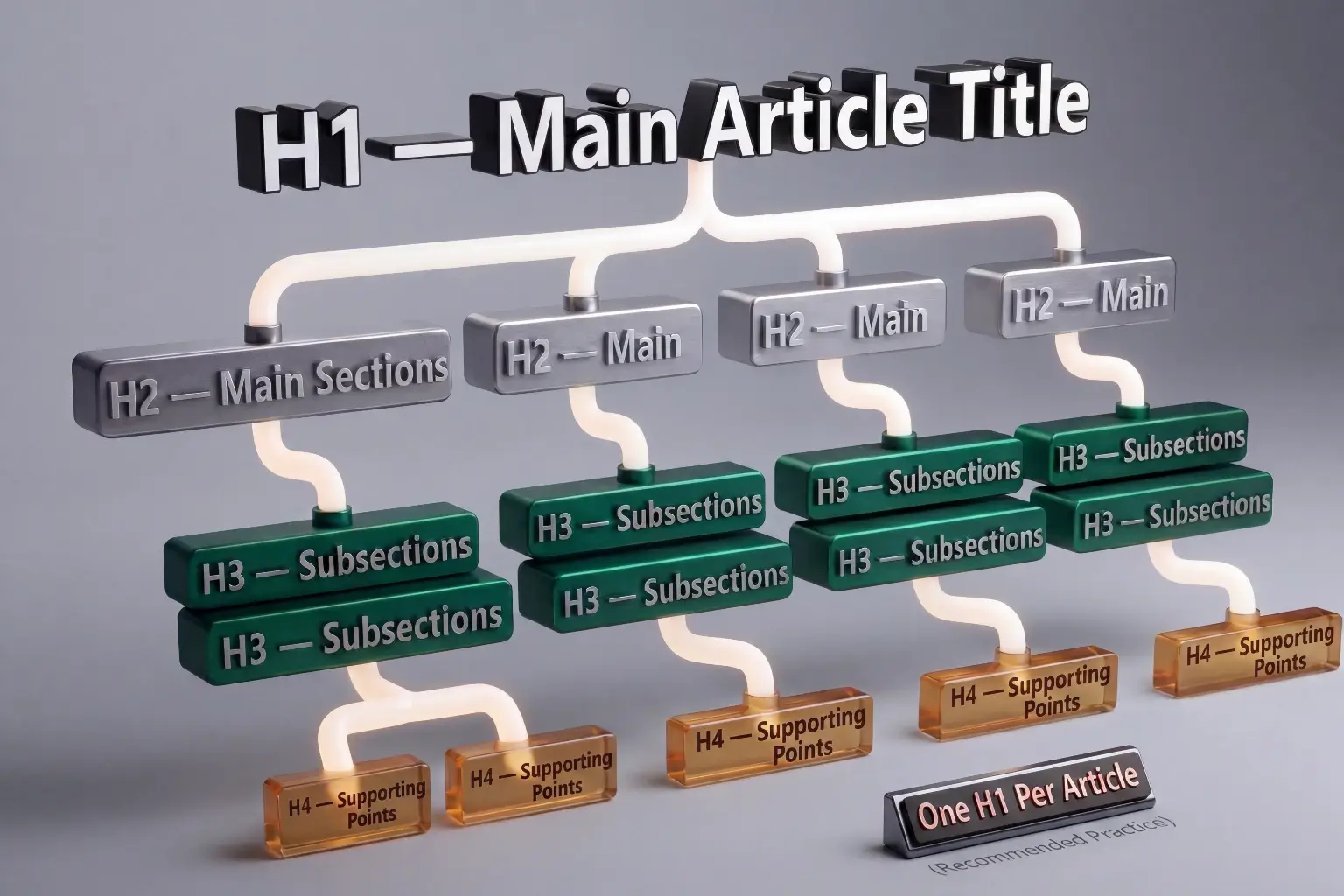
Never use more than one H1 per article. Multiple H1 tags confuse both search engines and readers about what the main topic of the article is.
5. Subheadings – H2, H3, and H4
Subheadings create the structure of your article. They tell both readers and search engines what each section is about and how the sections relate to each other.
Use H2 for your main sections. Use H3 for subsections within an H2. Use H4 for any further breakdown within an H3. Think of it as an outline – H2 is the chapter, H3 is the section within the chapter, H4 is the point within that section.
Your subheadings should do two things. They should clearly tell the reader what the section covers so they can scan and jump to what they need. And they should include relevant keywords or related phrases naturally where it makes sense.
Good subheadings are specific and useful. “How to Write a Title Tag” is a better H3 than “Title Tags.” “The Biggest On-Page SEO Mistake Beginners Make” is a better H2 than “Common Mistakes.”
Avoid using bold text as a substitute for proper heading tags. Bold text looks like a heading visually but search engines do not treat it the same way. Always use the correct heading hierarchy in your WordPress editor.
6. URL Slug
Your URL slug is the part of your web address that identifies the specific article.
For example, in arthify.in/on-page-seo-for-blog-posts the slug is on-page-seo-for-blog-posts.
A good URL slug follows these rules:
- Contains the focus keyword
- Uses hyphens to separate words – never underscores or spaces
- Is short and descriptive – no unnecessary words
- Never includes the year – this keeps the URL relevant long-term
- Uses only lowercase letters
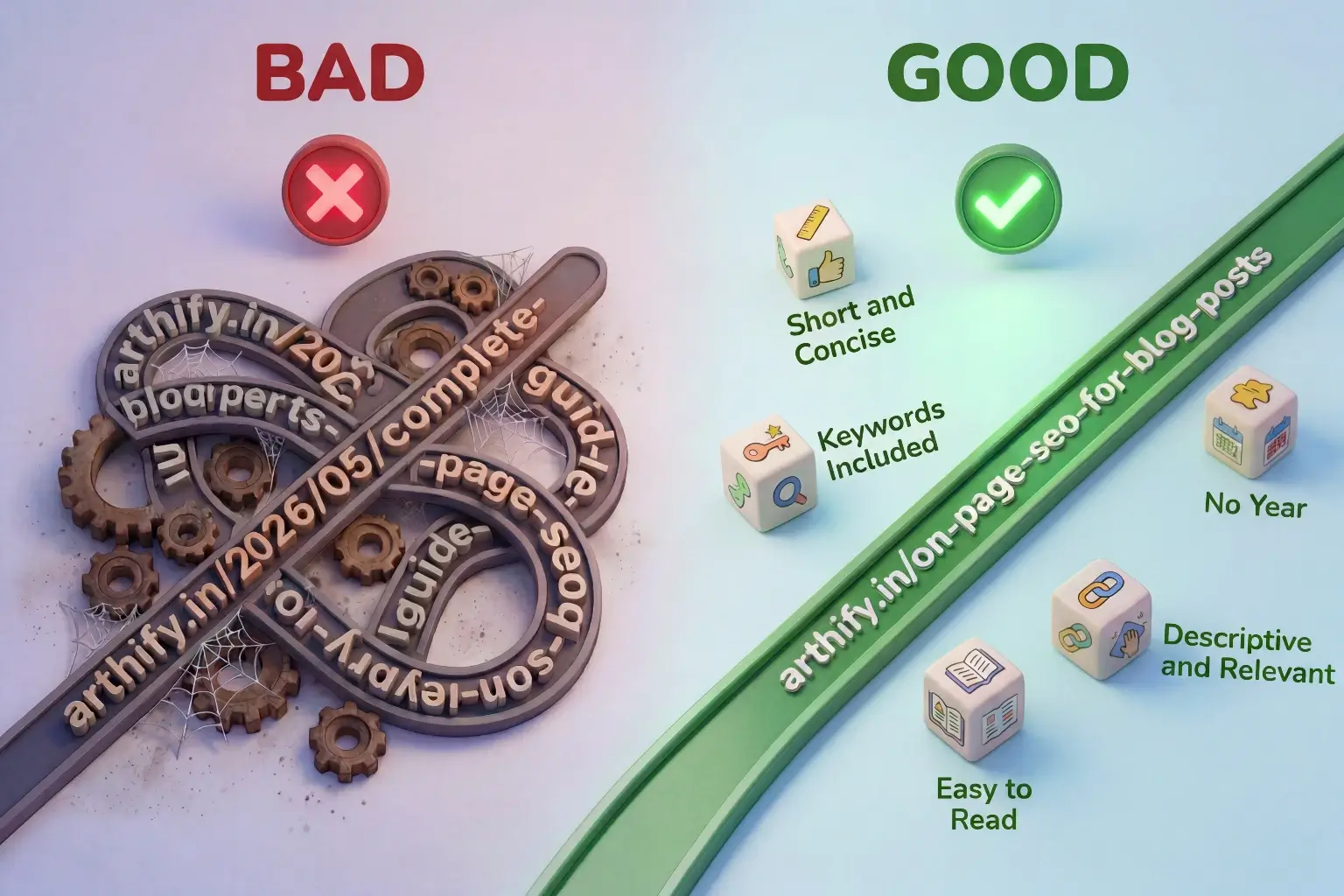
- A bad slug: arthify.in/2026/05/complete-guide-to-on-page-seo-for-beginner-bloggers-in-2026
- A good slug: arthify.in/on-page-seo-for-blog-posts
The shorter and more descriptive your slug, the better. Remove words like “a,” “the,” “and,” “for” unless they are part of the keyword phrase.
One critical rule – never change a URL after an article is published and indexed by Google unless you set up a proper 301 redirect. Changing a live URL without a redirect breaks any existing links pointing to that article and loses any SEO authority it has built.
7. First Paragraph
Your first paragraph carries more SEO weight than most beginners realize. Google and AI systems read the beginning of your article to quickly determine what it is about and whether it matches the search query.
Your focus keyword should appear naturally within the first 100 words of your article. Beyond keyword placement, the first paragraph should immediately address what the reader came to find. Do not begin with a long introduction about yourself or a vague story that delays getting to the point.
The best first paragraphs do one of three things:
- They identify the problem the reader has.
- They state directly what the article will teach.
- Or they make an unexpected claim that creates immediate curiosity.
Think about what your reader typed into Google to find this article. Then make sure the first thing they read confirms they are in the right place.
8. Content Quality and Search Intent
The most technically optimized article in the world will not rank if the content itself does not satisfy what the reader actually needs. Google measures this through engagement signals – how long readers stay on your page, whether they click back to search results immediately, and whether they interact with your content.
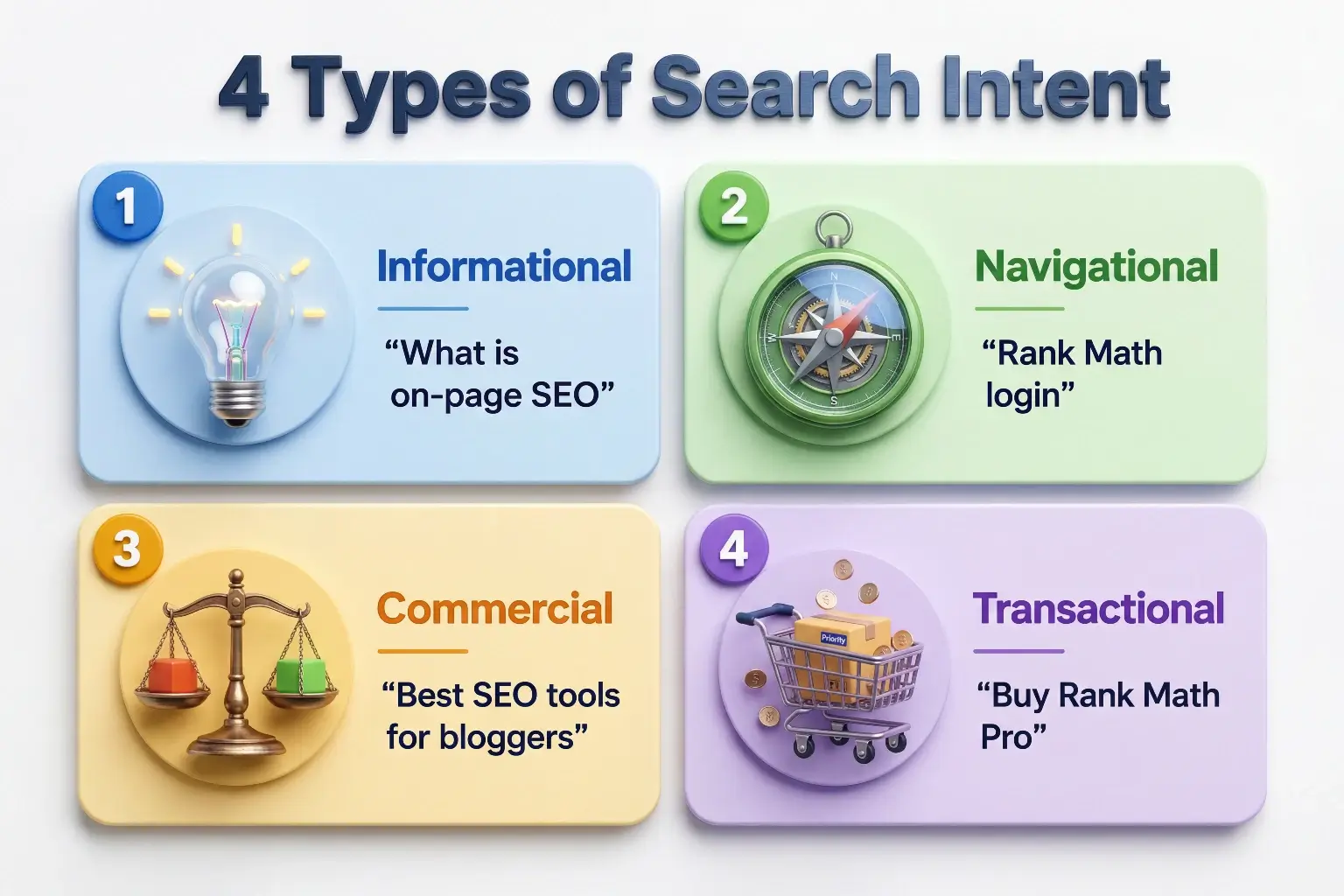
Search intent is the reason behind a search query. There are four types:
- Informational – the reader wants to learn something. Example: “what is on-page SEO”
- Navigational – the reader wants to find a specific website or page
- Commercial – the reader is comparing options before making a decision. Example: “best SEO tools for bloggers”
- Transactional – the reader is ready to take an action. Example: “buy Rank Math Pro”
Your content type must match the search intent of your focus keyword. If someone searches “how to do on-page SEO” they want a step-by-step guide – not a definition or a product page. If you give them a definition when they wanted a tutorial they will leave immediately.
Before writing any article, search your focus keyword in Google and look at what is ranking. The format of the top results – whether they are listicles, step-by-step guides, comparisons, or definitions – tells you what format Google believes best matches the intent for that keyword. Match that format.
Content depth also matters. Your article should cover the topic as thoroughly as the reader needs – not more, not less. An article that answers the question completely in 1,500 words will outperform a padded 3,000-word article that repeats itself. Quality and completeness beat length every time.
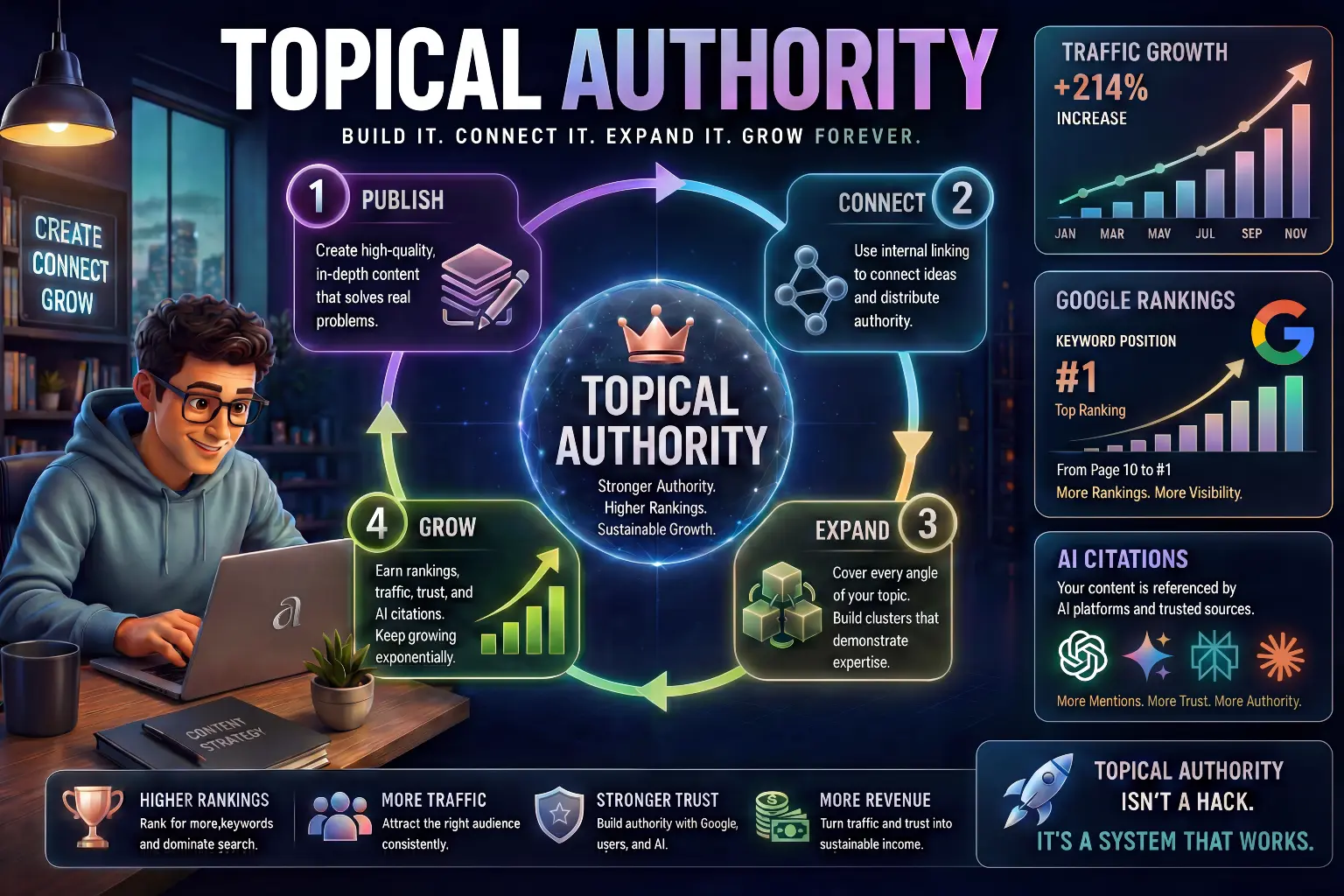
On-page SEO works best when your articles are part of a well-structured topic cluster. Our guide on How to Build Topical Authority for Your Blog shows you how to build that structure from scratch.
9. Internal Links
Internal links are links from one article on your site to another article on your same site. They are one of the most powerful and most underused on-page SEO tools available to beginner bloggers.
Internal links do three important things:
- They help Google discover and crawl all your articles more efficiently.
- They pass SEO authority from stronger articles to newer ones.
- They keep readers on your site longer by guiding them to related content.
Every article you publish should include at least three to five internal links to other relevant articles on your blog. And every time you publish a new article you should go back to older articles and add links pointing to the new one.
Use descriptive anchor text for your internal links – not generic phrases like “click here” or “read more.” The anchor text should describe what the linked article is about. This helps both Google and readers understand what they will find when they click.
For example, instead of “click here to learn more about keyword research” write “our guide on How to Do Keyword Research for Blogging Using AI covers the full process.”
For a deeper understanding of how internal linking fits into your overall blogging strategy, our guide on How to Start Blogging with AI covers this as part of the complete blogging system.
10. External Links
External links are links from your article to other websites. Many beginners avoid adding external links because they worry about sending readers away. But linking to high-quality, relevant external sources actually helps your SEO by signaling to Google that your content is well-researched and connected to the broader conversation on a topic.
Link to authoritative sources – official documentation, research studies, established industry sites, or tool websites you reference in your content. Do not link to competitor blogs or low-quality sites.
A few practical rules for external links:
- Set them to open in a new tab so readers do not leave your site completely
- Mark affiliate links as nofollow since you receive a benefit from them
- Add nofollow to most external links to protect your site’s link equity
- Link naturally – only where the reference genuinely adds value for the reader
Aim for two to four external links per article on average. Too few looks like your content is not well-referenced. Too many looks spammy.
11. Image Optimization
Images are consistently the most neglected on-page SEO element for beginner bloggers. Every unoptimized image is a missed opportunity for both search visibility and page speed.
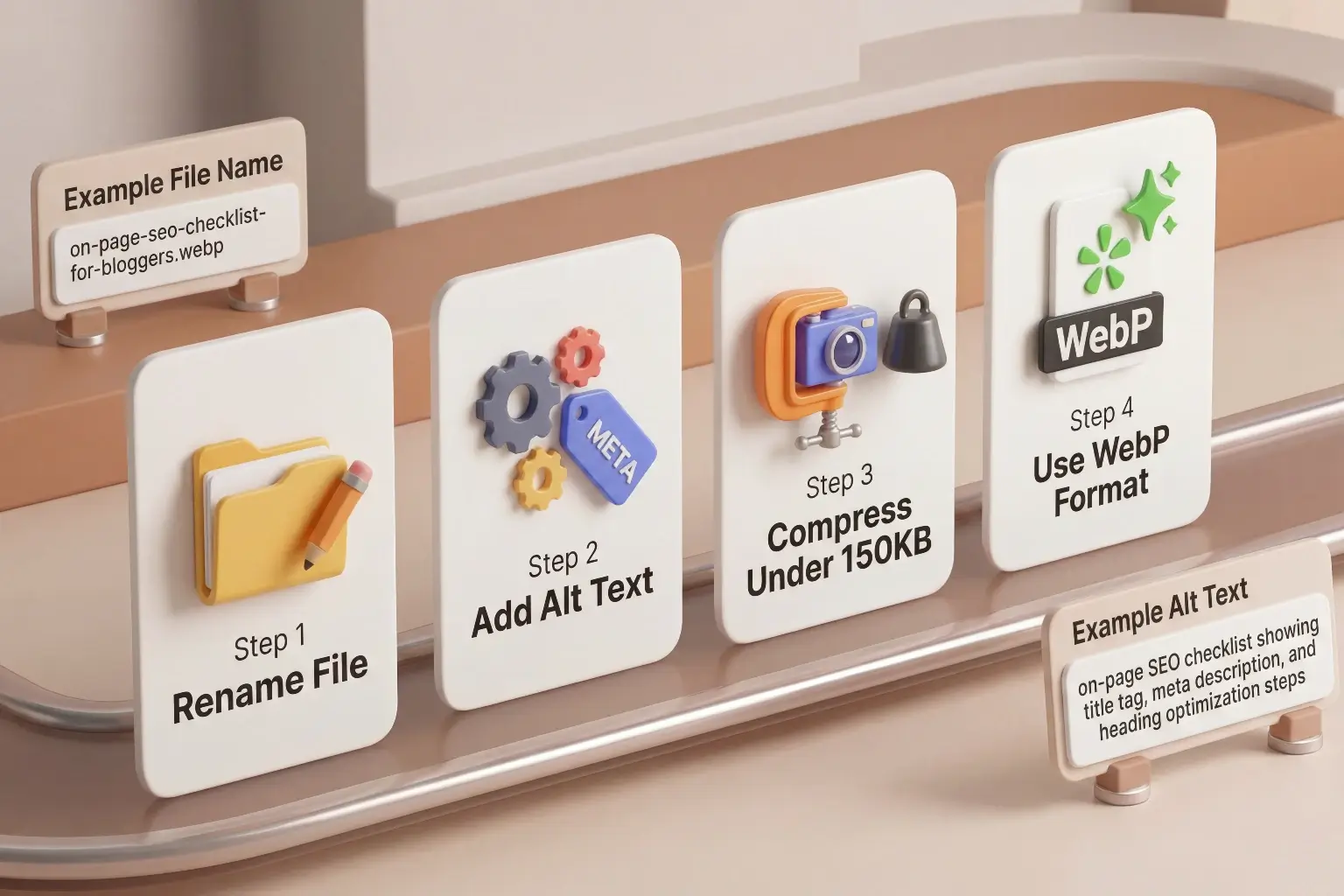
There are four things to do for every image you upload.
- File name – Before uploading, rename your image file to describe what it shows using your keyword where relevant. Instead of IMG_4823.png use on-page-seo-checklist-for-bloggers.png. This is a small signal that adds up across many images.
- Alt text – Alt text is a written description of the image that appears when the image cannot load and is read by screen readers for accessibility. It also tells search engines what the image depicts. Write a natural, descriptive alt text that includes your keyword where it genuinely fits. For example “on-page SEO checklist showing title tag, meta description, and heading optimization steps.”
- File size – Large image files slow your page down significantly and page speed is a ranking factor. Before uploading any image, compress it to under 150KB without visible quality loss. Use a free tool like Squoosh or TinyPNG to compress images before uploading to WordPress.
- Image format – Use WebP format where possible as it produces smaller file sizes than JPEG or PNG at the same visual quality. Most modern AI image generators and Canva allow you to download in WebP format.
12. Keyword Density and Natural Usage
Keyword density – the percentage of times your keyword appears relative to total word count – was a significant ranking factor in early SEO. In 2026 it is far less important than it once was.
Google now understands meaning, context, and related concepts rather than just counting exact keyword matches. Stuffing your focus keyword into every paragraph does not help your ranking and can actually hurt your readability scores and user experience.
The practical approach is this. Use your focus keyword naturally in the places that matter – title, H1, first paragraph, one or two subheadings, and naturally throughout the content. Then use related terms and synonyms throughout the rest of the article to build topical relevance.
For example, if your focus keyword is “on-page SEO for blog posts” you might also use phrases like “blog post optimization,” “SEO elements for bloggers,” “ranking your articles,” and “search engine optimization checklist” throughout the article. These related terms help Google understand the full context of your content without forcing the exact phrase repeatedly.
On-page SEO is no longer just about inserting keywords manually. Many bloggers now use AI-powered tools to improve readability, structure articles properly, generate better headings, and optimize content faster. If you’re completely new to this workflow, start with our guide on How to Use AI Tools as a Beginner in 2026.
13. Readability and Formatting
Readability is how easy your article is to read and understand. It affects both user experience and SEO because search engines use engagement signals – time on page, scroll depth, bounce rate – to evaluate whether your content satisfied the reader.
The key elements of good readability for blog posts are:
- Short paragraphs – two to four sentences maximum per paragraph. Long blocks of text discourage reading especially on mobile.
- Simple language – write for someone who is new to the topic. Avoid jargon unless you explain it immediately.
- Bullet points and numbered lists – use these for steps, features, examples, and comparisons. They are faster to scan and easier to reference.
- Bold text – use it to highlight the most important phrase or takeaway in a section. Do not bold entire paragraphs.
- White space – break up your content visually. Dense text without spacing looks overwhelming and increases bounce rate.
- Consistent tone – write in the same voice throughout. Shifts between formal and casual language feel jarring.
A practical way to check readability is to read your article out loud after writing it. Any sentence that causes you to stumble or re-read is a sentence that needs simplifying.
14. Schema Markup and FAQ Section
Schema markup is structured data code that tells search engines specific information about your content in a format they can read directly. For bloggers, the most useful schema types are Article schema and FAQ schema.
Article schema tells Google that your page is a blog post and provides information about the author, publish date, and content type. If you are using Rank Math, Article schema is applied automatically to all your posts based on your earlier settings.
FAQ schema is applied when you add a Frequently Asked Questions section to your article and enable it in Rank Math. When Google detects FAQ schema it can display your questions and answers directly in search results as expandable dropdowns below your article listing. This takes up significantly more space in the search results page which increases your visibility even if you are not ranking in position one.
Every article you publish should include an FAQ section with five to eight questions that your reader genuinely has about the topic. Enable the FAQ schema in Rank Math after adding the section. This is one of the simplest ways to increase your click-through rate without improving your ranking position.
If you’re learning SEO content writing with the goal of freelancing, these optimization skills become excellent portfolio pieces. Our guide on How to Build an AI Freelancing Portfolio With No Experience explains how to present them professionally.
How to Use AI Tools to Do On-Page SEO Faster
AI tools cannot do your on-page SEO for you but they can make the process significantly faster and help you spot things you might miss. Here is exactly how to use them.
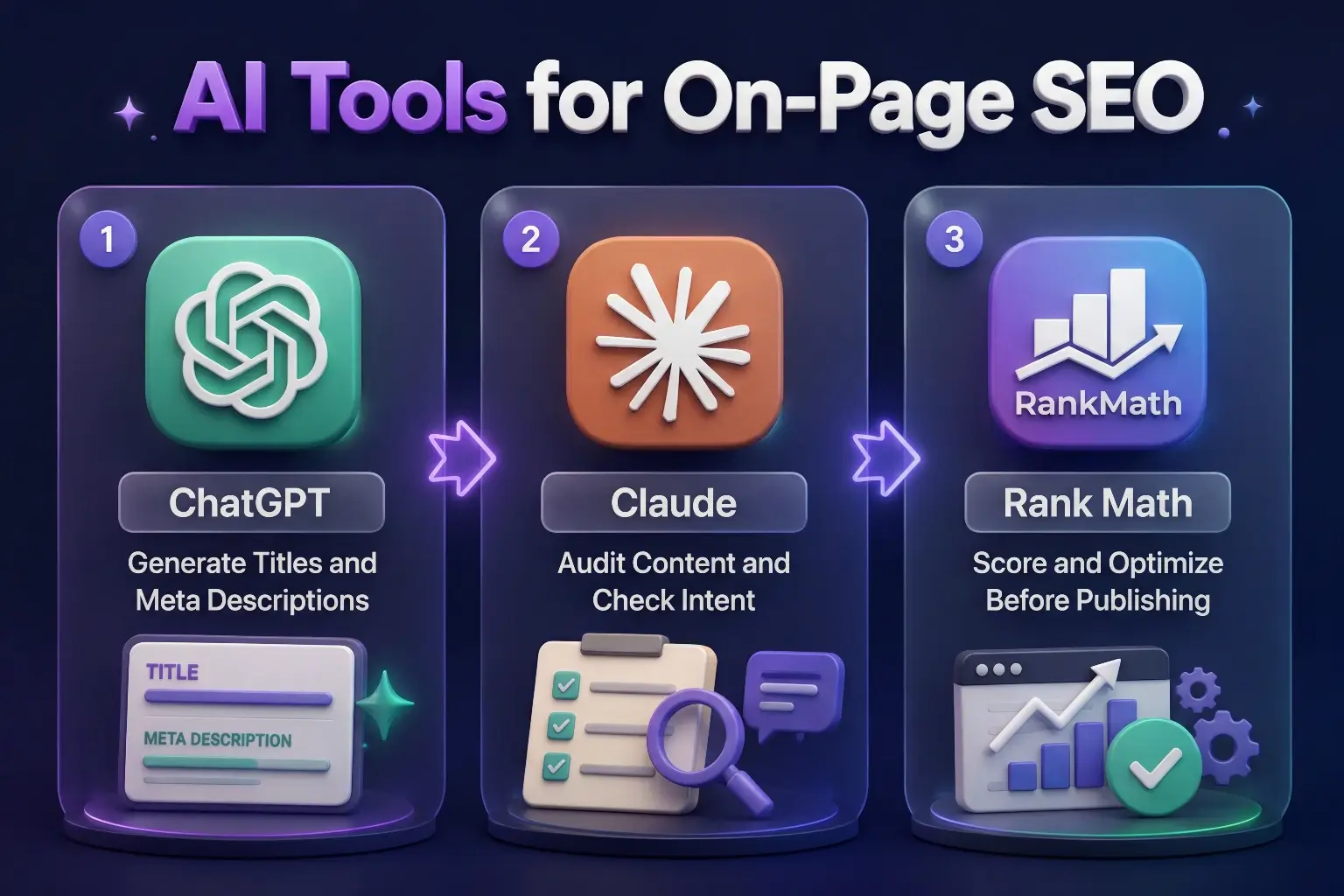
Using ChatGPT for On-Page SEO
ChatGPT is useful for generating and refining the text-based elements of on-page SEO.
Here are specific prompts you can use.
- For title tags: “Write five title tag options for a blog post about on-page SEO for beginner bloggers. Each must be under 60 characters and contain the phrase ‘on-page SEO for blog posts’.”
- For meta descriptions: “Write three meta descriptions for a blog post about on-page SEO for beginners. Each must be between 140 and 155 characters, include the keyword naturally, and make the reader want to click.”
- For subheadings: “I am writing a beginner’s guide to on-page SEO. Suggest eight H2 subheadings that cover the topic thoroughly and would be useful to a beginner blogger.”
- For content audit: “Here is my article about on-page SEO. Review it and tell me which sections lack clarity, which important on-page SEO elements are missing, and where the keyword could be placed more naturally.” Then paste your article.
For a deeper understanding of how to write better prompts for AI tools, our guide on How to Write Better Prompts for AI covers exactly that.
Using Claude for On-Page SEO
Claude is particularly strong for reviewing longer articles and providing detailed, nuanced feedback.
Use it to: Check whether your article matches the search intent of your focus keyword by describing the keyword and pasting the article. Ask Claude whether the content genuinely answers what someone searching that keyword would want to know.
Review your heading structure by pasting only your headings in order and asking whether the structure is logical, whether subheadings are specific enough, and whether any important topics are missing.
Rewrite sections that feel unclear or overly technical by asking Claude to simplify specific paragraphs for a beginner audience without losing the key information.
Our guide on How to Use Claude AI for Beginners walks through how to get the most out of Claude for content work.
Using Rank Math with AI Suggestions
Rank Math is your on-page SEO checker built directly into WordPress. Every time you edit an article, Rank Math evaluates your on-page optimization and gives you a score out of 100 with specific suggestions.
Use the Rank Math checklist as your final quality check before publishing. Work through each suggestion and aim for a score above 80. The checklist covers keyword placement in your title, meta description, URL, headings, and content – all the elements covered in this guide.
Do not aim for 100 out of 100 blindly. Some Rank Math suggestions require Pro features or are not relevant for every article type. A score of 80 to 90 with all the important elements correctly implemented is the realistic and appropriate target.
If you are still building your understanding of how to use AI tools effectively for content work, our guide on How to Use AI for Content Creation covers the full process from first draft to finished article.
The On-Page SEO Mistakes Most Beginners Make
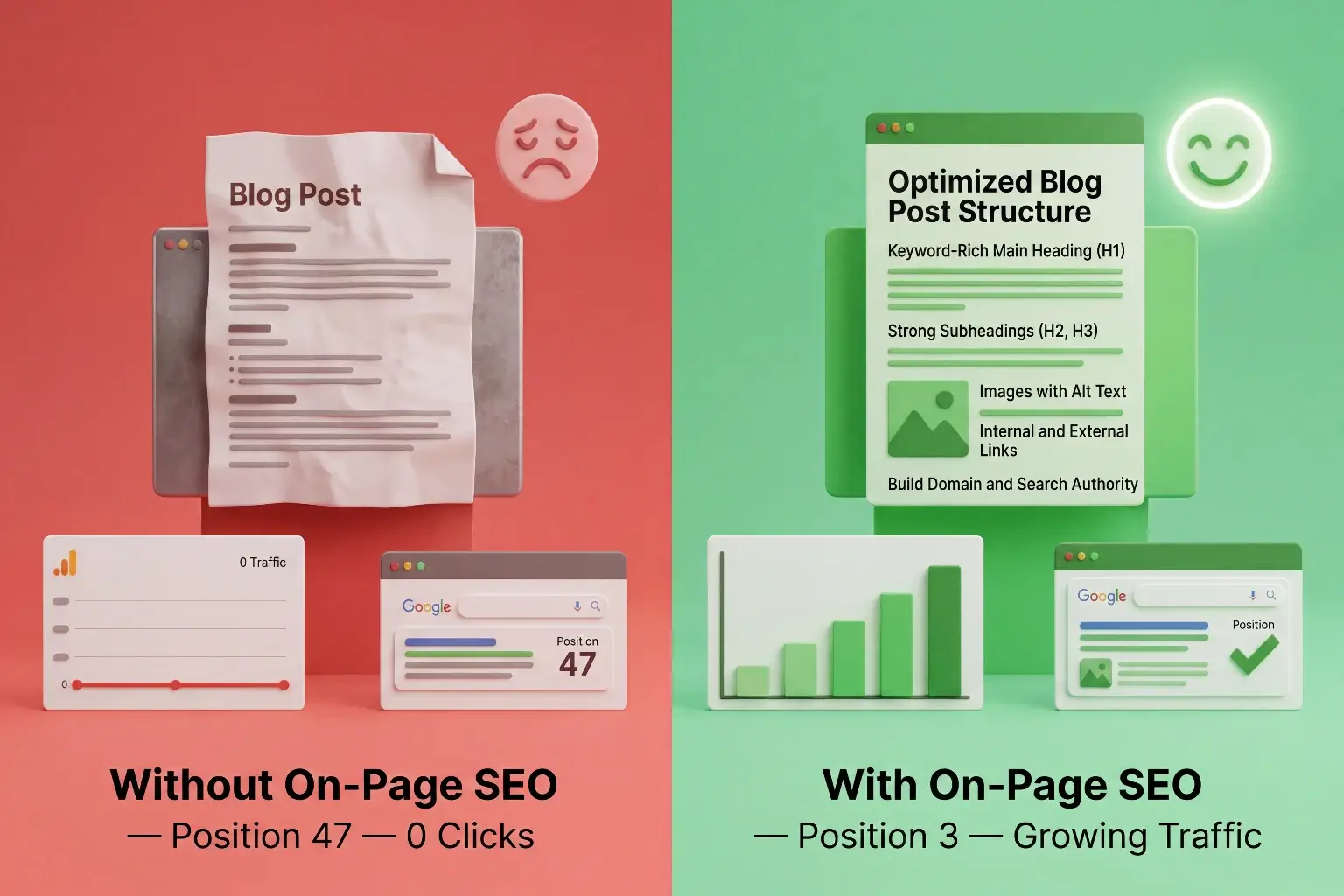
Understanding what goes wrong is as important as knowing what to do right. These are the most common on-page SEO mistakes beginner bloggers make consistently.
- Skipping keyword research before writing – On-page SEO only works when you have identified the right keyword first. Optimizing an article around the wrong keyword wastes all your effort. Always do keyword research before you start writing, not after.
- Using the same keyword in multiple articles – If two articles on your blog target the same focus keyword they compete against each other in search results. This is called keyword cannibalization and it splits your ranking potential. Each article should target a unique focus keyword.
- Ignoring the meta description – Many beginners leave the meta description blank and let Google generate one automatically. Google’s auto-generated descriptions are often unfocused and miss the opportunity to create a compelling reason to click. Always write your own.
- Keyword stuffing – Forcing the focus keyword into every paragraph makes your content sound unnatural and can trigger quality penalties. Use it where it fits naturally and rely on related terms for the rest.
- Uploading images without alt text – This is one of the most common and easiest-to-fix mistakes. Every image needs a descriptive alt text. It takes thirty seconds per image and contributes meaningfully to your SEO.
- Publishing without checking mobile appearance – Most of your readers will read your article on a phone. Before publishing, always preview your article on mobile and confirm that headings, images, and bullet points all display correctly.
- Never updating published articles – Google rewards fresh, accurate content. Articles that have not been updated in two or more years start losing ranking positions to newer competitors. Build a habit of revisiting your most important articles every six to twelve months and updating any outdated information.
A Simple On-Page SEO Workflow for Every Blog Post
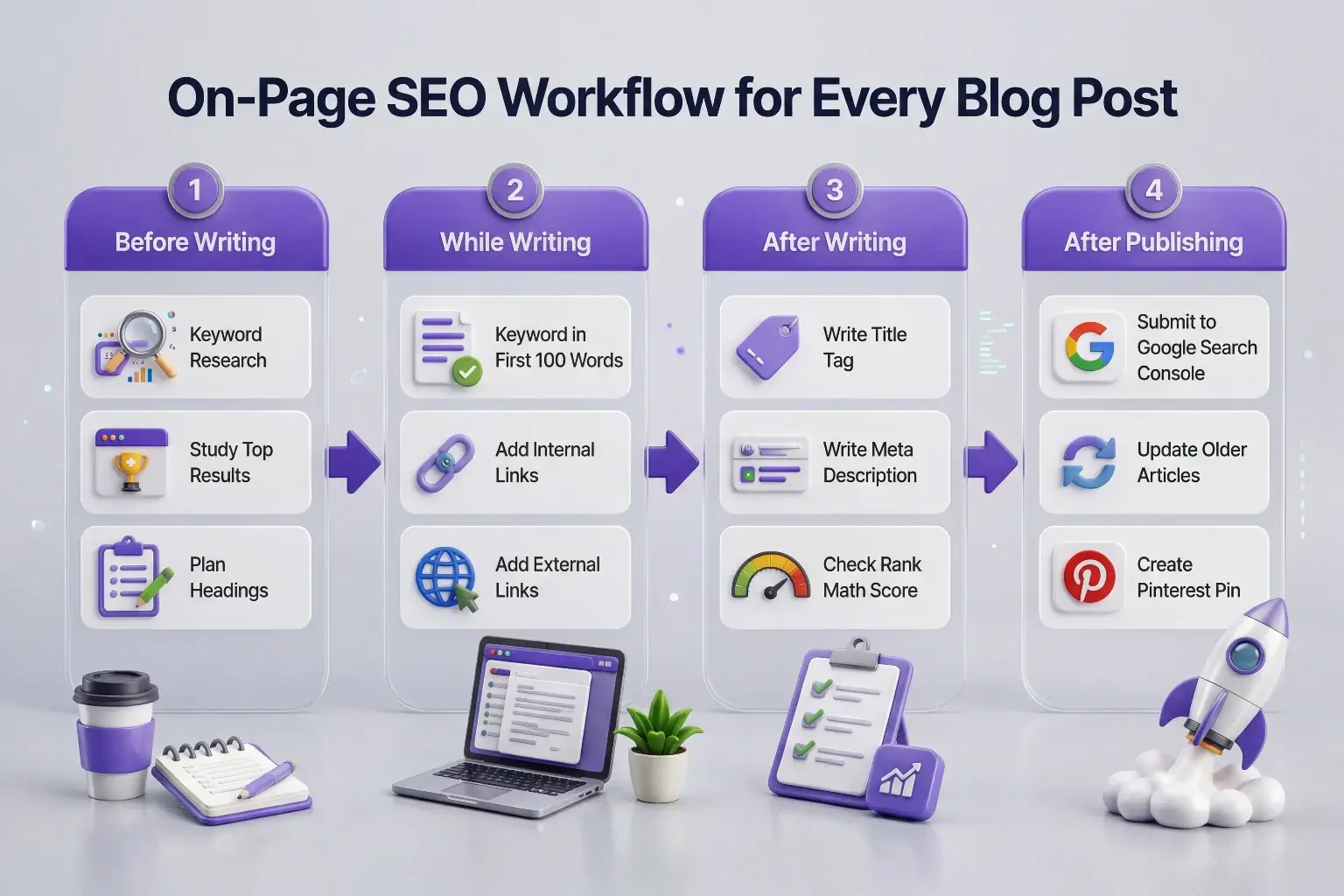
Here is the complete process to follow for every article from start to finish. Use this as your standard publishing checklist.
Before writing:
- Do keyword research and confirm your focus keyword
- Search the keyword in Google and study the format and depth of top-ranking results
- Plan your heading structure based on what topics the top results cover
While writing:
- Include your focus keyword in the first 100 words naturally
- Use your keyword in at least one H2 subheading
- Keep paragraphs short – two to four sentences maximum
- Add internal links to at least three to five relevant existing articles
- Add external links to two to four authoritative sources where relevant
After writing:
- Write your title tag – under 60 characters, keyword near the start
- Write your meta description – 140 to 155 characters, clear benefit
- Set your URL slug – short, keyword-included, no year
- Optimize your images – rename files, add alt text, compress before uploading
- Add an FAQ section with five to eight relevant questions
- Enable FAQ schema in Rank Math
- Check your Rank Math score and aim for 80 plus
- Preview on mobile before publishing
- Submit the URL in Google Search Console after publishing
After publishing:
- Go back to two or three older relevant articles and add internal links pointing to the new article
- Share on your Facebook page
- Create a Pinterest pin for the new article
This workflow takes fifteen to thirty minutes per article once you have done it a few times. The time investment is worth it because it gives every article a realistic chance of ranking.
You can also explore these Best New AI Tools in 2026 to improve your blogging workflow.
Final Thoughts
On-page SEO is not a mysterious technical skill reserved for experts. It is a practical checklist of specific decisions you make before and after writing every article. Each element sends a clear signal to Google about what your article is about, who it is for, and why it deserves to rank.
The biggest shift in thinking is this – your job as a blogger is not just to write well. Your job is to write well and communicate clearly to both your reader and the search engines that serve them. On-page SEO is how you do the second part.
Start with the elements that matter most – your keyword placement, title tag, meta description, headings, and internal links. Get comfortable with those consistently and then layer in the finer details like schema markup and image optimization.
Every article you optimize properly is an article with a real chance of reaching the people who need it. Every article you publish without optimization is a guess.
Use the checklist in this guide. Build the habit. And let the results compound over time.
If you want to understand how all of these SEO elements connect to growing your blog traffic over time, our guide on How to Get Traffic to Your Blog Using AI covers the bigger picture.
Frequently Asked Questions
What is on-page SEO for blog posts?
On-page SEO for blog posts is the process of optimizing the elements within an individual article – including the title, headings, URL, meta description, keyword placement, internal links, and images – so that search engines can understand what the article is about and rank it for relevant searches. It is everything you control directly on the page itself, as distinct from off-page SEO which involves external signals like backlinks.
How long does on-page SEO take per article?
Once you are comfortable with the process, completing all on-page SEO elements for a single article takes between 15 and 30 minutes. This includes writing your title tag and meta description, setting your URL slug, placing your keyword correctly, adding internal links, optimizing images, and running a final Rank Math check. The first few times take longer as you build the habit.
Does on-page SEO guarantee rankings?
No. On-page SEO gives your article the best possible chance of ranking but it does not guarantee a specific position. Rankings also depend on the authority of your site, the competition for your keyword, and how well your content satisfies search intent. On-page SEO removes the barriers that prevent your article from being considered – it does not substitute for quality content or a competitive keyword strategy.
What is the most important on-page SEO element?
There is no single most important element because they work together as a system. However if you had to prioritize, focus first on matching search intent – making sure your article genuinely answers what someone searching your keyword actually wants. Then ensure your keyword appears in your title, H1, first paragraph, and URL. These placements alone will cover the majority of your on-page SEO signal.
How many internal links should a blog post have?
Aim for three to five internal links per article as a minimum. There is no hard maximum but every link should be genuinely relevant and useful to the reader. Avoid linking to the same article multiple times in a single post. The anchor text for each internal link should describe what the linked article is about rather than using generic phrases like “click here.”
Should I use AI tools for on-page SEO?
Yes. AI tools like ChatGPT and Claude are genuinely useful for generating title tag options, writing meta descriptions, auditing your heading structure, and checking whether your content matches search intent. They speed up the process and help you spot things you might overlook. Use them as a support tool alongside Rank Math rather than as a replacement for your own judgment and review.
What is the difference between a title tag and an H1?
Your title tag is the SEO title that appears in Google search results and browser tabs. Your H1 is the main heading that appears at the top of your article page when readers visit it. They can be – and often should be – slightly different from each other. The title tag must stay under 60 characters and is optimized for click-through in search results. The H1 appears on the page and can be slightly longer and more descriptive for the reader.
How often should I update old blog posts for SEO?
Review your most important articles every six to twelve months. Update any statistics or references that have become outdated, improve sections that are thin or unclear, add new internal links to articles published since the original, and refresh the publish date in WordPress after making meaningful updates. Google rewards content that stays current and accurate over time.

Hi, I’m Harshil Patel, founder of Arthify.
I share simple, practical guides on AI tools, blogging, and online earning to help beginners work smarter and grow online.
My goal is to simplify AI tools so anyone can build skills and create opportunities in the digital world.