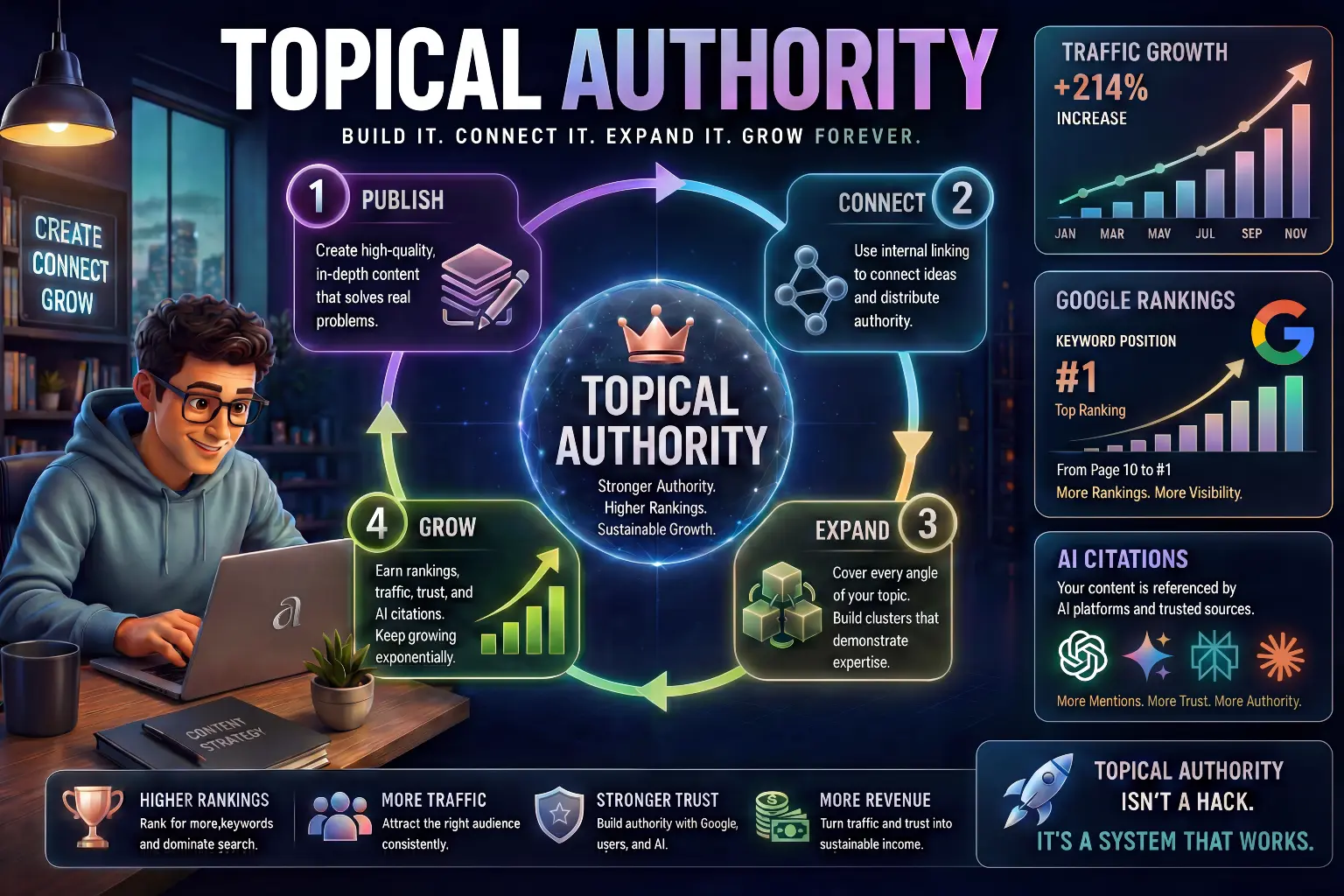
“This beginner-friendly guide explains how to get traffic to blog using AI in 2026, including simple SEO strategies, keyword research, content optimization, and practical workflows that help beginners start ranking on Google.“
Starting a blog is exciting. You choose a topic, write your first article, publish it, and expect people to read it.
But then something unexpected happens.
Days pass… then weeks… and still:
- No visitors
- No clicks
- No traffic
This is the moment where most beginners feel confused and start doubting themselves.
But here is the truth:
- Your blog is not failing.
- You are just missing the traffic system.
In 2026, blogging is not only about writing. It is about being discoverable.
And discoverability comes from:
“SEO (Search Engine Optimization)”
The good news is that you do not need to learn complex technical SEO like experts. You only need to understand a simple system – and AI can help you apply that system much faster.
Now let’s understand why your blog is not getting traffic.
Why Your Blog Is Not Getting Traffic

Before learning how to get traffic, you need to understand something very important:
“Blogs do not get traffic automatically.”
Many beginners think that writing a “good article” is enough. But Google does not rank content just because it is good. It ranks content that is:
- Relevant to search queries
- Structured properly
- Optimized for intent
- Consistently published
Let’s break this down in a deeper way.
When you publish an article, Google does not instantly show it to people. First, it tries to understand:
- What your article is about
- Who should see it
- Whether it is better than other articles
If your content is not clearly optimized, Google simply ignores it.
Another major reason is that beginners often write topics like:
“My experience using AI tools”
But people are searching:
“best ai tools for beginners”
This mismatch is called search intent mismatch, and it is one of the biggest reasons for no traffic.
This is where AI becomes extremely powerful – it helps you align your content with what people are actually searching.
If you’re just starting out, make sure you understand the basics first in our guide on How to start blogging with AI.
What Is SEO and Why It Matters More Than Writing
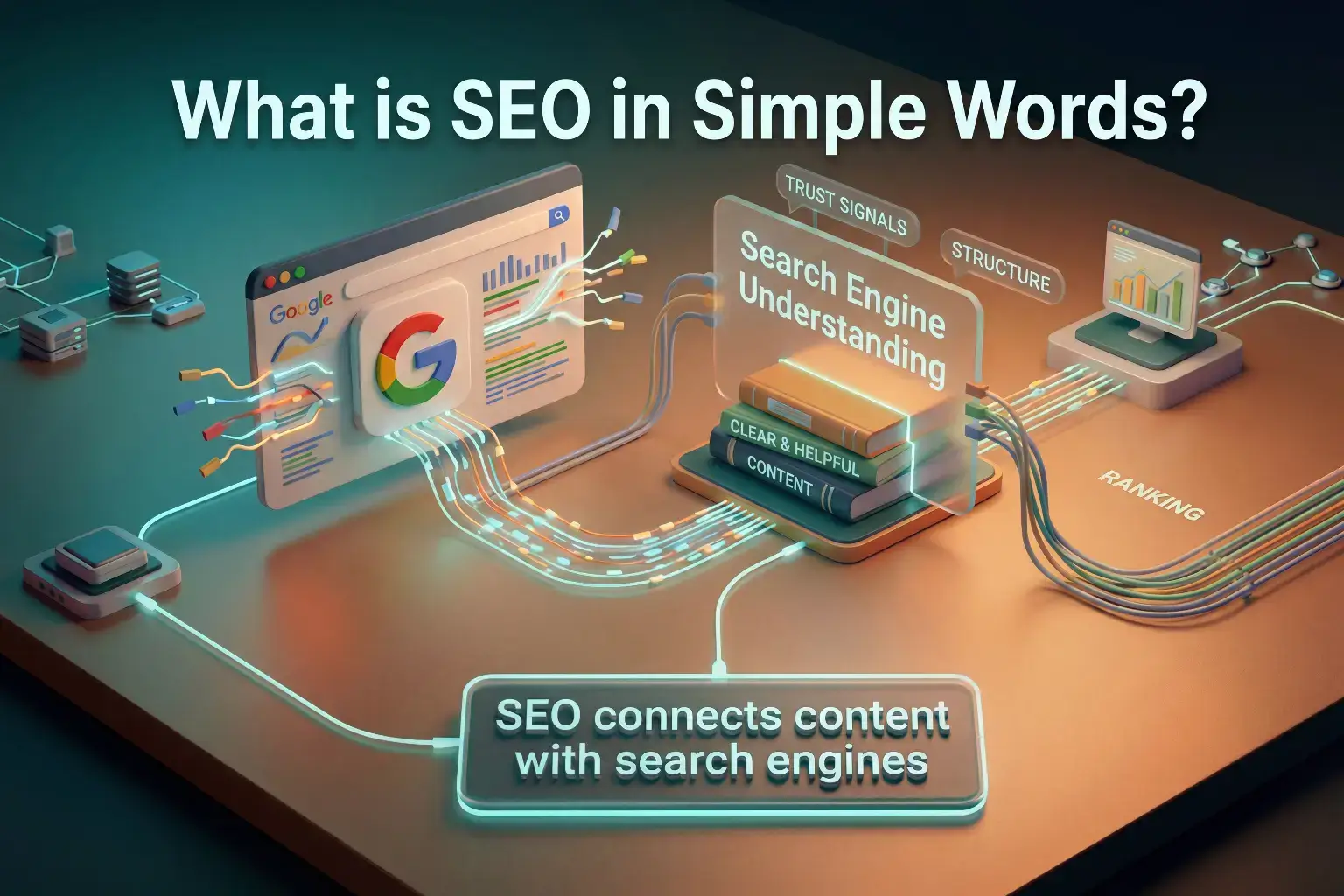
SEO is often misunderstood as something technical, but in reality, it is very simple. Do not worry if this feels new. You will understand it step by step.
SEO means:
Helping Google understand your content and trust your content enough to show it.
Think of it like this:
Imagine Google is a teacher checking thousands of answers. It will only show the best answers to students.
Your job is to make your article:
- Clear
- Helpful
- Structured
- Relevant
SEO is not about tricking Google. It is about making your content easier to find and easier to trust.
Without SEO:
“Your content stays invisible”
With SEO:
“Your content starts getting discovered”
In simple words: SEO is about helping Google understand and trust your content.
Now that you understand what SEO is, let’s see how Google actually decides which blog to show.
How Google Actually Decides Which Blog to Show
This is one of the most important sections, and most beginners never understand this properly.
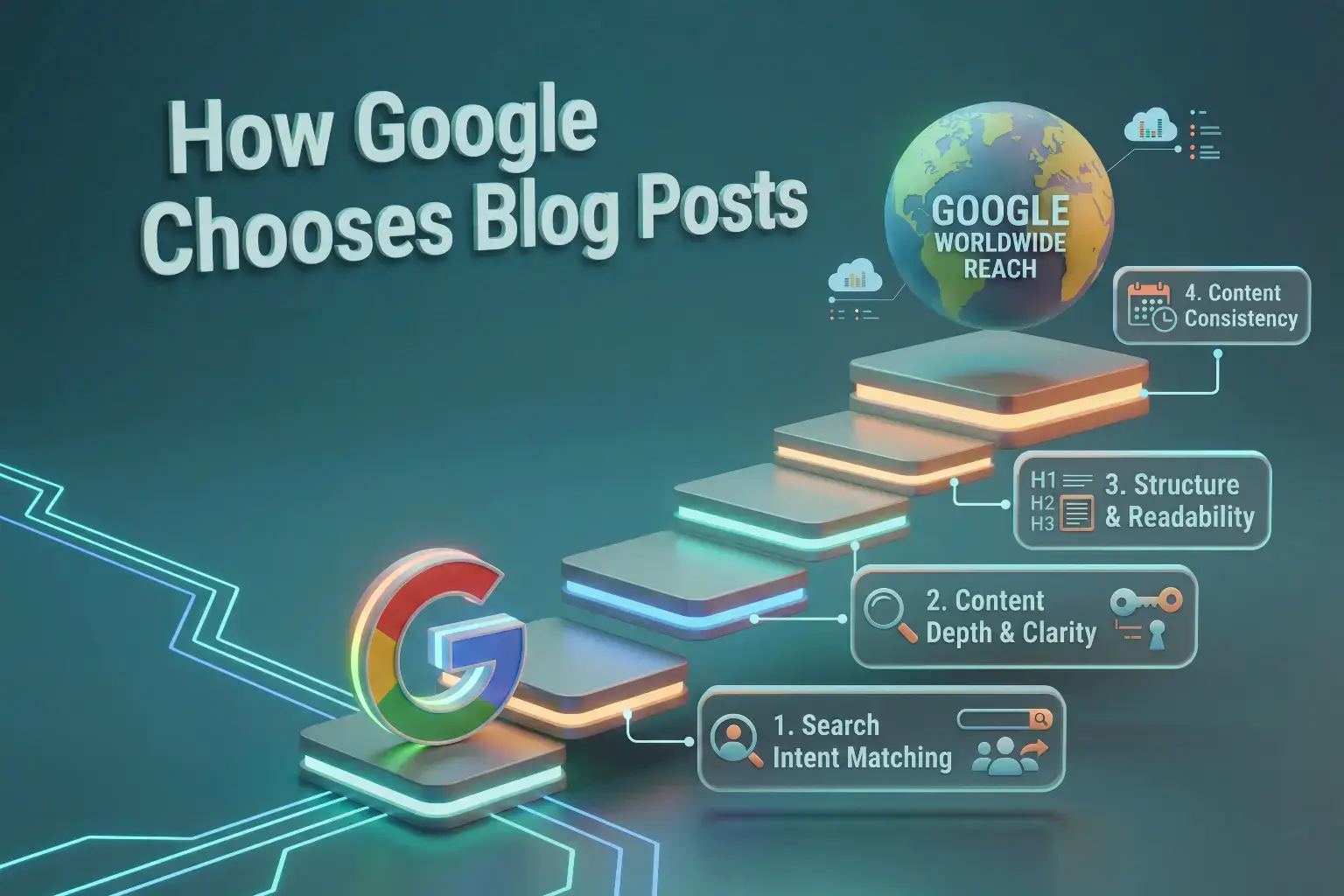
Google does not randomly pick articles. It uses a system based on:
1. Search Intent Matching
If someone searches:
“how to get traffic to blog”
Google will prefer:
- Beginner guides
- Step-by-step explanations
- Practical solutions
Not:
- Personal stories
- Advanced technical guides
2. Content Depth and Clarity
Google prefers articles that:
- Explain topics deeply
- Cover multiple aspects
- Provide real value
Short or shallow articles usually do not rank well.
Creating the right content is the foundation of traffic. Learn how to do it properly in our guide on How to use AI for content creation.
3. Structure and Readability
Well-structured content is easier for both users and Google.
That means:
- Clear headings
- Short paragraphs
- Logical flow
4. Consistency of Content
A blog with 1 article is weak. A blog with 15-20 well-structured articles looks more trustworthy.
This is why your strategy matters more than just writing.
For example, if someone searches “how to start blogging with AI,” Google will prefer step-by-step beginner guides instead of general explanations about AI.
Now that you understand how Google works, let’s move to the most important part – keywords.
How to Do Keyword Research Using AI

Keyword research is the foundation of traffic.
But instead of just telling you “find keywords”, let me show you a real beginner-friendly system.
Step 1: Start with a Core Topic
Instead of thinking randomly, start with a clear category.
Example:
“AI Content Creation”
Now ask AI tools like ChatGPT or Claude:
“Give me 20 beginner-friendly blog topics about AI Content Creation”
This creates a structured idea pool.
Step 2: Expand into Search Queries
Now take one topic:
“blog traffic”
Ask AI:
“What do beginners search about blog traffic?”
Now you will get real keyword-like queries such as:
- How to get traffic to blog
- Why blog is not getting traffic
- How to increase blog visitors
This is powerful because you are aligning with real user intent.
Step 3: Make sure your keyword is easy to rank
Now this is where most beginners stop – but this is where real growth starts.
Use tools like:
1. LowFruits
This tool finds low-competition keywords that beginners can rank for.
It shows you:
- Weak websites ranking
- Easy opportunities
2. Keyword Chef
This tool focuses on long-tail keywords, which are easier to rank.
Instead of:
“blog traffic”
You target:
“how to get blog traffic as a beginner”
3. AlsoAsked
This tool shows what people are asking on Google.
This helps you:
- Build FAQ sections
- Cover related questions
- Improve SEO depth
4. AnswerThePublic
This tool gives a visual map of search queries.
It helps you understand:
“What users are actually thinking”
This combination (AI + tools) gives you a real keyword system, not guesswork.
Traffic starts with targeting the right keywords. Here’s a step-by-step detailed guide on How to do keyword research for blogging using AI.
How to Write SEO-Friendly Blog Posts Using AI
Writing for SEO = Writing for Intent
Before writing anything, ask:
“What does the reader expect?”
If someone searches:
“how to get traffic to blog”
They want:
- Clear explanation
- Practical steps
- Beginner-friendly tone
If your article does not match this, it will not rank.
You can explore our list of the Best AI writing tools for beginners in 2026 to choose the right tools for writing a blogs.
Section-by-Section Writing Strategy
Instead of writing full articles in one prompt (big mistake), use AI like this:
If you want to improve this skill, read How to Write Better Prompts for AI.
Step 1: Write Introduction
Explain the problem clearly
Step 2: Explain the Concept
Break down the topic deeply
Step 3: Add Practical Systems
Teach how to do it
Step 4: Add Examples
Make it easier to understand
Step 5: Add FAQs
Cover additional queries
Why This Works
This method:
- Improves clarity
- Reduces repetition
- Increases depth
- Matches SEO structure
Before any of these traffic strategies can work, each article needs to be properly optimized from the inside. Our beginner guide on On-Page SEO for Blog Posts covers every element you need to get right before publishing.
Best AI Tools for Getting Blog Traffic

Keyword Research Tools:
1. LowFruits
LowFruits is extremely useful for beginners.
Unlike traditional SEO tools, it focuses on:
“Easy-to-rank keywords”
It analyzes Google results and shows:
- Weak websites ranking
- Low competition topics
This helps beginners rank faster.
2. Keyword Chef
Keyword Chef is designed to find keywords where:
“Forums and small sites are ranking”
This means:
“You also have a chance”
It is one of the best tools for beginners who want traffic without heavy competition.
3. AlsoAsked
AlsoAsked helps you understand:
“What questions people are asking”
You can use it to:
- Create content sections
- Add FAQs
- Improve depth
4. AnswerThePublic
AnswerThePublic is excellent for:
- Content ideas
- User intent
It gives hundreds of question-based keywords.
Writing and Idea Generation Tools:
1. ChatGPT
ChatGPT is one of the most powerful tools for beginners. Tools like ChatGPT can help you write SEO-friendly articles faster. To learn more, check our guide on How to use ChatGPT for beginners.
It helps you:
- Generate keyword ideas
- Create outlines
- Write SEO content
- Improve clarity
Best for:
“Overall blogging workflow”
2. Claude
Claude is excellent for structured writing and long-form content. To learn how to use it check our Claude AI beginner guide.
It helps you:
- Write detailed blog posts
- Improve flow
- Organize ideas
Best for:
“High-quality content writing”
3. Gemini
Gemini is useful for research and integration with Google tools.
It helps you:
- Explore topics
- Understand search intent
- Expand ideas
Best for:
“Research-based writing”
SEO Optimization Tools:
1. Surfer SEO
Surfer SEO is a powerful SEO-focused tool.
It helps you:
- Optimize articles for ranking
- Suggest keywords
- Improve structure
Best for:
“SEO optimization”
2. NeuronWriter
NeuronWriter is designed specifically for SEO content.
It helps you:
- Write optimized blog posts
- Analyze competitors
- Improve ranking chances
Best for:
“SEO-focused blogging”
3. RankIQ
RankIQ is specifically designed for bloggers.
It helps you:
- Find low competition keywords
- Optimize articles
- Improve rankings
4. Frase
Frase helps you:
- Analyze top-ranking articles
- Create better structured content
- Improve SEO score
You do not need all these tools. Start with one or two and learn them properly.
You can also check our list of the Best new AI tools in 2026 to discover more helpful tools for blogging.
How to Promote Your Blog (Simple Beginner Methods)
1. Social Media Sharing
Share your blog on:
Even small sharing helps initial traffic
2. Repurpose Content
Turn blog into:
- Short posts
- Reels
- Threads
3. Internal Linking
Link your articles with each other. This helps Google understand your website better.
4. Answer Questions Online
Use platforms like:
- Quora
Answer questions and link your blog naturally.
Even small sharing helps because Google notices early activity signals. When your content gets clicks and engagement, it increases the chances of better ranking over time.
One of the most reliable ways to grow consistent organic traffic is to build topical authority in your niche. Our guide on How to Build Topical Authority for Your Blog explains the complete step-by-step process.
Simple AI SEO Workflow for Beginners

Now let’s combine everything into a real workflow.
Step 1: Topic Discovery
Use AI to find ideas
Step 2: Keyword Research
Use tools like LowFruits or Keyword Chef
Step 3: Content Planning
Create structured outline
Step 4: Content Writing
Write section by section
Step 5: Optimization
Add keywords, improve readability
Step 6: Publishing
Keep design simple
Step 7: Consistency
Repeat weekly
This is your real traffic system
Consistency is key for traffic growth. Learn how to stay consistent using AI in our Daily productivity guide.
How Long It Takes to Get Traffic (Reality Check)

This is important because many beginners quit early.
SEO is slow but powerful.
Timeline:
- First 1-2 months: Learning
- 2-4 months: Small clicks
- 4-6 months: Growth
But only if:
- You are consistent
- You follow SEO
- You improve content
This timeline is not fixed. Some blogs take longer depending on competition, consistency, and content quality.
Traffic grows faster when your content is consistent. That’s why you should first learn How to create a content plan for your blog using AI.
Common SEO Mistakes Beginners Make
Many beginners unknowingly block their own growth.
1. Writing Without Research
You are guessing instead of targeting real searches
2. Publishing Without Structure
Unorganized content reduces readability
3. Overusing AI Without Editing
This creates generic content
4. Targeting High Competition Keywords
Beginners cannot rank easily
5. Stopping Too Early
This is the biggest mistake. Stay Consistent.
Final Thoughts
Getting traffic is not magic. It is a system.
Once you understand:
- Keywords
- SEO
- Content structure
Everything becomes easier. AI does not guarantee traffic, but it makes the process faster, clearer and more structured.
Your job is to:
- Stay consistent
- Focus on helpful content
- Improve step by step
If you follow this system consistently, you will start understanding how to get traffic to blog in a practical and structured way.
More traffic means more opportunities to earn – and if you want to explore all the ways a blog can generate income alongside other AI methods, read our complete guide on How to Make Money with AI in 2026.
Frequently Asked Questions
What is the best way to get blog traffic for beginners?
The best way for beginners is to focus on specific low-competition keywords, write SEO-friendly content that matches what people are searching for, and publish consistently. AI tools like ChatGPT and Claude can help you with every part of this process.
Can AI really help in SEO and blog traffic?
Yes, AI can help with keyword research, content creation, optimization, and idea generation, making the SEO process easier for beginners.
How many articles are needed before getting traffic?
Most blogs start seeing initial traffic after publishing 10–20 well-optimized articles.
Is SEO necessary for blogging?
Yes, without SEO your blog will struggle to get organic traffic from search engines.
Which tools are best for beginner bloggers?
There is no single best tool. Beginners can start with tools like ChatGPT or Claude for writing and tools like LowFruits or Keyword Chef for keyword research. The best tool depends on your workflow and needs.

Hi, I’m Harshil Patel, founder of Arthify.
I share simple, practical guides on AI tools, blogging, and online earning to help beginners work smarter and grow online.
My goal is to simplify AI tools so anyone can build skills and create opportunities in the digital world.