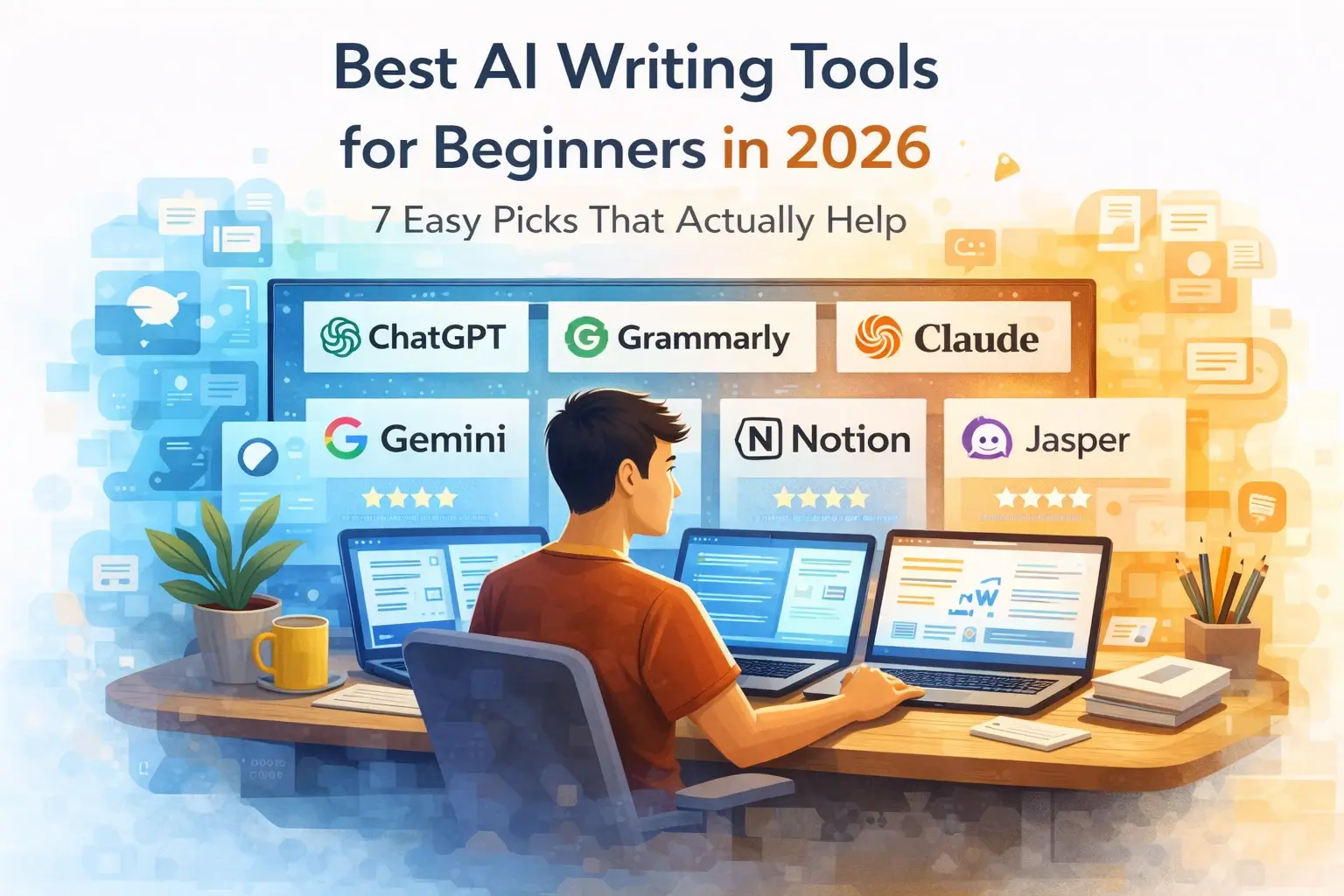
“This beginner-friendly guide covers the best AI tools for students in 2026, including tools for studying, research, note-taking, writing, and productivity to help you learn faster and stay organized.”
If you are a student today, your biggest challenges are usually not lack of information, but too much information, confusion, and time pressure.
You have lectures, assignments, exams, notes, projects, and sometimes part-time work. Managing everything together can feel overwhelming.
Many students spend hours studying but still feel confused or forget what they learned. This usually happens because the study method is not structured. This is where AI tools can help. You do not need to be a tech expert to use AI. Even beginners can use simple tools to understand difficult topics, create notes, write assignments, and manage their time more effectively.
Instead of struggling alone, you can use AI to simplify learning, organize your work, and understand topics more clearly. AI does not replace studying, but it makes studying smarter and more structured.
Why Students Are Using AI Tools in 2026

AI is becoming a normal part of student life because it helps reduce the time and effort needed to study and complete tasks.
Earlier, students had to depend only on textbooks, teachers, or long hours of searching online. Now, AI tools can give quick explanations, summaries, and examples in just a few seconds.
This does not mean students are studying less. It means they are studying in a smarter way.
Some of the main reasons students are using AI tools today are:
- Save Time While Studying:
AI can quickly explain topics, summarize chapters, and give key points. This helps students focus more on understanding instead of spending too much time searching for information. - Understand Difficult Topics Faster:
Subjects like science, math, or technical topics can be confusing. AI can break them into simple explanations, step-by-step answers, and easy examples. - Create Better Notes:
Instead of writing long notes manually, students can use AI to organize content into clear, structured notes that are easier to revise later. - Improve Writing and Assignments
AI tools help students write better answers, improve grammar, and make their assignments more clear and structured. - Prepare for Exams More Efficiently:
Students can generate practice questions, summaries, and revision notes using AI, which helps in better exam preparation. - Stay Organized:
AI tools can help plan study schedules, manage tasks, and keep track of progress.
Overall, AI is not replacing learning. It is helping students remove confusion and focus on what actually matters.
If you’re completely new to AI tools, you can start with our step-by-step guide on How to use AI tools as a beginner in 2026.
How AI Can Actually Help Students

AI tools are helpful because they support almost every part of the study process, from understanding topics to revising for exams.
One of the biggest advantages is that AI can act like a personal study assistant. You can ask questions anytime and get answers instantly, without waiting.
For example, if you are studying a difficult topic, you can ask AI to explain it in simple words. If you still do not understand, you can ask it again in a different way. This makes learning more flexible and less stressful.
AI is especially useful for:
- Understanding Complex Concepts:
Instead of reading the same paragraph again and again, you can ask AI to explain it step by step with examples. - Creating Notes and Summaries:
AI can turn long chapters into short, clear notes. This makes revision much easier. - Solving Problems Step-by-Step:
For subjects like math or science, AI can show the full solution process, not just the answer. - Writing Assignments:
AI can help you structure your answers, improve clarity, and avoid grammar mistakes. - Practicing Questions:
You can ask AI to create quizzes, test questions, or practice problems based on your topic. - Organizing Study Plans:
AI can help you plan your study schedule and break big tasks into smaller steps.
For example, if you are learning a difficult topic like photosynthesis, you can ask AI to explain it in simple words or step-by-step.
When used correctly, AI makes studying more organized, less stressful, and more effective.
If you are using AI tools to create written content that needs to be found online, understanding on-page SEO is the next important step. Our guide on On-Page SEO for Blog Posts explains every element in beginner-friendly language.
Best AI Tools for Students in 2026
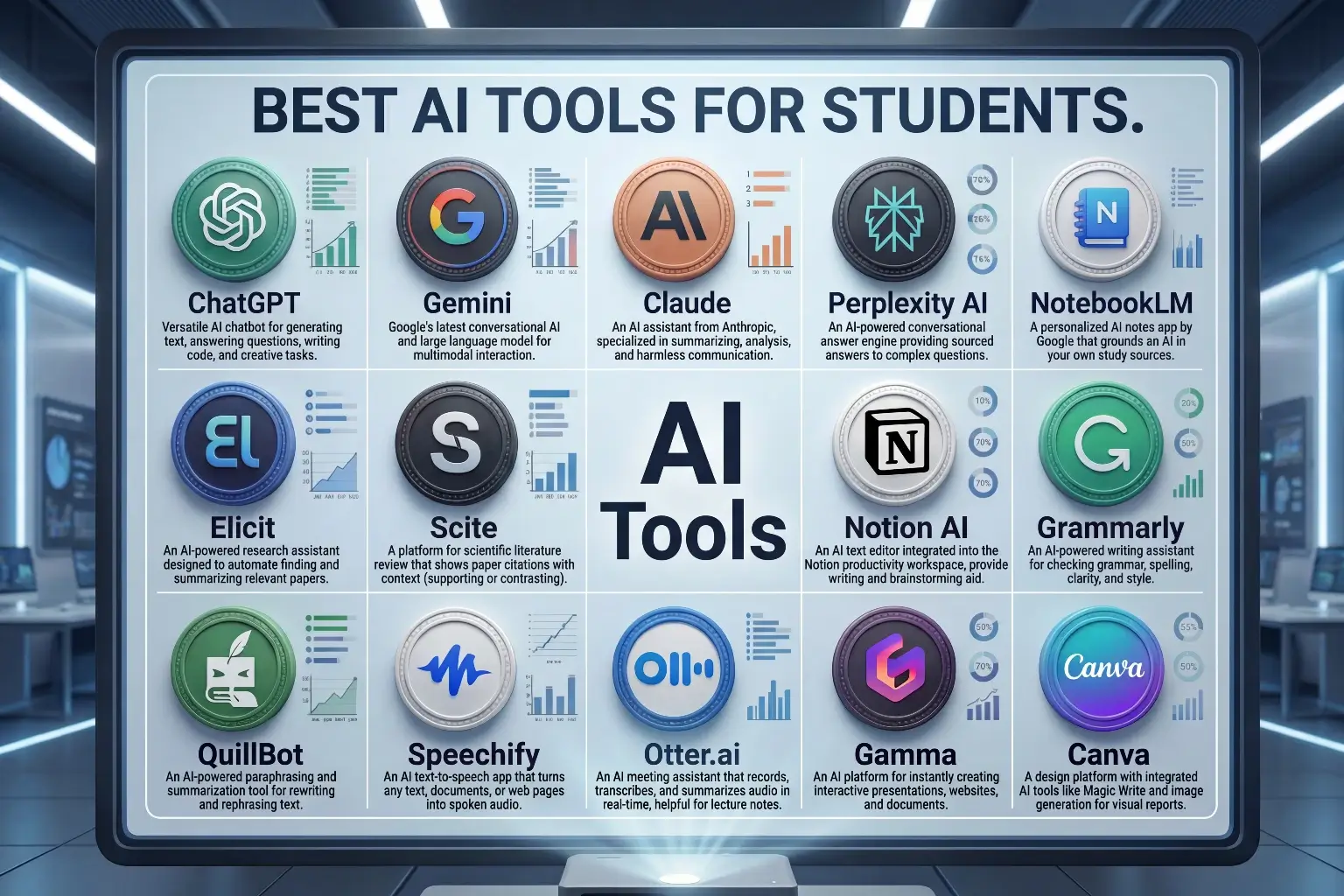
Best Study and Understanding Tools:
1. ChatGPT
ChatGPT is one of the most popular tools for students. it is one of the easiest tools for students to start with. It works like a conversation where you can ask questions and get answers instantly.
It helps with:
- Explaining Difficult Topics
- Answering Questions
- Solving Problems
- Creating Examples
- Generating Study Notes
It is very useful when you want simple explanations in easy English.
Best for:
- Quick Understanding
- Homework Help
- Concept Explanation
Tools like ChatGPT are widely used by students for answering questions, explaining concepts, and solving doubts. If you’re new, check our guide on How to use ChatGPT for beginners.
2. Gemini
Gemini is useful for students who are already using Google tools like Docs or Drive.
It can:
- Summarize Documents
- Help with Research
- Answer Questions
- Work with Google Docs
Best for:
- Research and Summaries
- Google-based Workflows
3. Claude
Claude is useful when you want more structured and clear answers.
It works well for:
- Long Explanations
- Structured Notes
- Step-by-Step Answers
Best for:
- Deep Understanding
- Clean Explanations
Claude is especially helpful for summarizing notes and understanding long topics clearly. Learn How to use it step by step in our Claude AI beginner guide.
4. Perplexity AI
Perplexity AI is like a smarter search engine. it helps students find reliable information quickly.
It helps you:
- Find Accurate Information
- Get Answers with Sources
- Research Topics Faster
Best for:
- Research
- Quick Fact Checking
5. NotebookLM
NotebookLM is one of the most powerful tools for students.
It allows you to:
- Upload Notes and PDFs
- Get Summaries
- Ask Questions from Your Notes
- Understand Study Material Better
Best for:
- Study Notes
- Subject Revision
- Learning from PDFs
Best Research and Academic Tools:
1. Elicit
Elicit is designed for research-based work.
It helps students:
- Find Research Papers
- Summarize Studies
- Understand Academic Content
Best for:
- Research Projects
- Academic Writing
2. Scite
Scite helps students check whether information is reliable.
It shows:
- Supporting Evidence
- Citations
- Research Validity
Best for:
- Academic Research
- Citation Checking
Best Writing and Notes Tools:
1. Notion AI
Notion AI helps students organize their work.
You can:
- Create Notes
- Plan Study Tasks
- Write Assignments
- Organize Subjects
Best for:
- Note-taking
- Study Planning
2. Grammarly
Grammarly improves your writing by correcting grammar and improving clarity.
It helps with:
- Grammar Correction
- Sentence Clarity
- Writing Tone
Best for:
- Assignments
- Essays
3. QuillBot
QuillBot helps rewrite sentences in a better way.
You can:
- Paraphrase Text
- Improve Sentences
- Avoid Repetition
Best for:
- Rewriting Notes
- Improving Writing
If you want to improve your writing further, you can also read Best AI Writing Tools for Beginners.
Best Learning Support Tools:
1. Speechify
Speechify converts text into audio.
It helps students:
- Listen to Notes
- Study While Moving
- Improve Understanding
Best for:
- Audio Learning
- Revision
2. Otter.ai
Otter.ai converts speech into text.
It can:
- Record Lectures
- Create Notes Automatically
- Save Time
Best for:
- Lecture Notes
- Voice to Text
Best Projects and Presentation Tools:
1. Gamma
Gamma helps create presentations quickly.
It can:
- Generate Slides
- Organize Content
- Design Layouts
Best for:
- Projects
- Presentations
2. Canva
Canva is useful for design work.
Students can use it for:
- Presentations
- Posters
- Visual Projects
Best for:
- Creative Assignments
- Design Work
If you want to explore more tools, you can also check Best New AI Tools in 2026.
Other Useful AI Tools for Students
While the main tools already cover most student needs, there are also some additional AI tools that can be very useful depending on your study style, subject, and daily routine.
These tools are not always mentioned in basic guides, but they can give you an extra advantage if used correctly.
1. Jenni AI
Jenni AI is designed for students who need help with essays, research writing, and academic content.
2. Evernote
Evernote is not a new tool, but when combined with AI features, it becomes very powerful for organizing notes.
3. Fireflies.ai
Fireflies.ai is focused on meetings and discussions.
4. Todoist
Todoist helps students manage tasks, assignments, and deadlines more effectively.
5. Replit Ghostwriter
Replit Ghostwriter works inside an online coding environment and helps beginners learn coding more easily.
6. RescueTime
RescueTime helps you understand how you spend your time on your device.
7. Napkin AI
Napkin AI helps you turn ideas into visual diagrams and structured formats.
8. GitHub Copilot
GitHub Copilot is very useful for students learning programming.
Beyond studying, many students are already using AI tools to earn their first income online. Our guide on How to Make Money with AI in 2026 covers the most beginner-friendly methods that work even with limited time and experience.
How to Choose the Right AI Tool as a Student
Choosing the right AI tool is important because using too many tools at once can create confusion.
As a beginner, you do not need to try every tool. Instead, focus on what you actually need.
Start by asking yourself simple questions:
- Do I need help understanding topics?
- Do I need help with writing assignments?
- Do I need better notes?
- Do I need help with presentations?
For example:
- If you struggle with understanding subjects, tools like ChatGPT or NotebookLM are a good starting point.
- If you need help with writing, Grammarly and QuillBot are useful.
- If your focus is research, tools like Perplexity AI, Elicit, or Scite are better choices.
The best approach is to start with 2 to 3 tools and use them regularly. Once you are comfortable, you can explore more tools.
Trying too many tools at the beginning often leads to confusion and less productivity.
If you are creating presentations, projects, or content, you can learn more in our guide on How to use AI for content creation.
Simple AI Study Workflow for Students

Step 1: Choose your study goal
Start with one clear goal.
Example:
- Understand a topic
- Prepare for exam
- Complete assignment
Step 2: Use AI to understand topics
Use tools like ChatGPT, Gemini, or Claude to explain topics in simple words.
Step 3: Create notes and summaries
Use NotebookLM or Notion AI to create organized notes.
Step 4: Practice and revise
Use AI to:
- Ask questions
- Generate quizzes
- Test your understanding
Step 5: Organize and review
Use AI tools to:
- Plan revision
- Improve weak areas
- Track progress
This workflow becomes even more effective when combined with How to Use AI for Daily Productivity.
Common Mistakes Students Make When Using AI
Students often make simple mistakes when starting with AI.
- Copying Answers Without Understanding
- Using Too Many Tools at Once
- Asking Vague Questions
- Not Checking Accuracy
- Depending Fully on AI
AI should support your learning, not replace it.
For students who want to start earning with AI tools alongside their studies, our guide on AI Freelancing for Beginners covers every step from choosing your first service to landing a paying client without needing any prior experience.
Final Thoughts
AI tools can make a big difference in how students study, but the real benefit comes from how you use them.
You do not need to use every tool listed in this article. Even using two or three tools properly can improve your study process.
Start simple. Use AI to:
- Understand better
- Study smarter
- Write clearly
- Stay organized
Focus on understanding your subjects better, creating clear notes, and improving your daily study routine. Over time, you will naturally discover which tools work best for you.
AI is not a shortcut to avoid studying. It is a support system that helps you learn faster, stay organized, and reduce confusion. If you use it in the right way, it can become one of the most useful tools in your learning journey.
To get better results while writing assignments or essays, you also need to improve your prompts. Learn how in our guide on How to write better prompts for AI.
Frequently Asked Questions
What are the best AI tools for students?
Some of the best tools include ChatGPT, Gemini, NotebookLM, Notion AI, Grammarly, Perplexity AI and QuillBot.
Can students use AI for studying?
Yes. Students can use AI to understand topics, create notes, and prepare for exams.
Is AI useful for writing assignments?
Yes. AI can help improve grammar, structure, and clarity, but you should always review the content.
Which AI tool is best for notes?
NotebookLM and Notion AI are very useful for notes and organization.
Is it safe to use AI tools for studying?
Yes, but always verify important information and avoid sharing sensitive data.
Can AI replace studying completely?
No, AI cannot replace studying. AI is a tool that supports learning, but you still need to read, understand, and practice.
Are free AI tools enough for students?
Yes, many free AI tools are more than enough for most students.
Do I need technical knowledge to use AI tools?
No, most AI tools are beginner-friendly and do not require technical knowledge.

Hi, I’m Harshil Patel, founder of Arthify.
I share simple, practical guides on AI tools, blogging, and online earning to help beginners work smarter and grow online.
My goal is to simplify AI tools so anyone can build skills and create opportunities in the digital world.