
“This beginner-friendly guide explains how to write better prompts for AI in 2026, including simple formulas, practical examples, common mistakes, and easy tips to get more useful answers.”
If you are new to AI, one of the biggest reasons you get weak results is not the tool itself. It is usually the prompt.
Many beginners try AI once, ask something very short or unclear, and then feel disappointed with the answer. That happens because AI works best when your request is easier to understand.
A good prompt does not need to be complicated. It just needs to be clear enough for the tool to understand what you want, why you want it, and how the answer should look.
This matters across almost every major AI tool. In simple terms, AI works better when your instructions are clear, structured, and easy to understand.
If you’re completely New to AI tools, we recommend starting with our step-by-step guide on How to use AI tools as a beginner in 2026.
What Is an AI Prompt
An AI prompt is the instruction or request you give to an AI tool.
It can be very short, like:
“Summarize this paragraph.”
Or it can be more detailed, like:
“Summarize this article in simple English for a beginner, using 5 bullet points and a short conclusion.”
Both are prompts. The difference is that the second one gives the AI more direction.
In simple terms, your prompt tells the AI:
- What you want
- What the task is
- How the answer should be written
- What kind of result is useful to you
That is why prompting is so important. The quality of your output often depends on the quality of your input. In simple terms, the better your input, the better the output you get from AI.
Why Prompt Quality Matters More Than Most Beginners Think
Many beginners think AI is either “good” or “bad”. In reality, the same tool can give a weak answer with a vague prompt and a very useful answer with a better one.
For example:
Weak prompt:
“Write about productivity.”
Better prompt:
“Write a short beginner-friendly paragraph about how AI can improve daily productivity, using simple English and one real-life example.”
The second prompt is better because it gives:
- Clear topic
- Target audience
- Tone
- Format
- An extra instruction
That is why prompting is not a small detail. It is one of the main skills that improves your AI results.
This is especially important for beginners because once you learn how to prompt properly, you can use the same skill across ChatGPT, Claude, Gemini, and many other tools. In most AI tools, better prompts usually become clearer, more structured, and more specific over time.
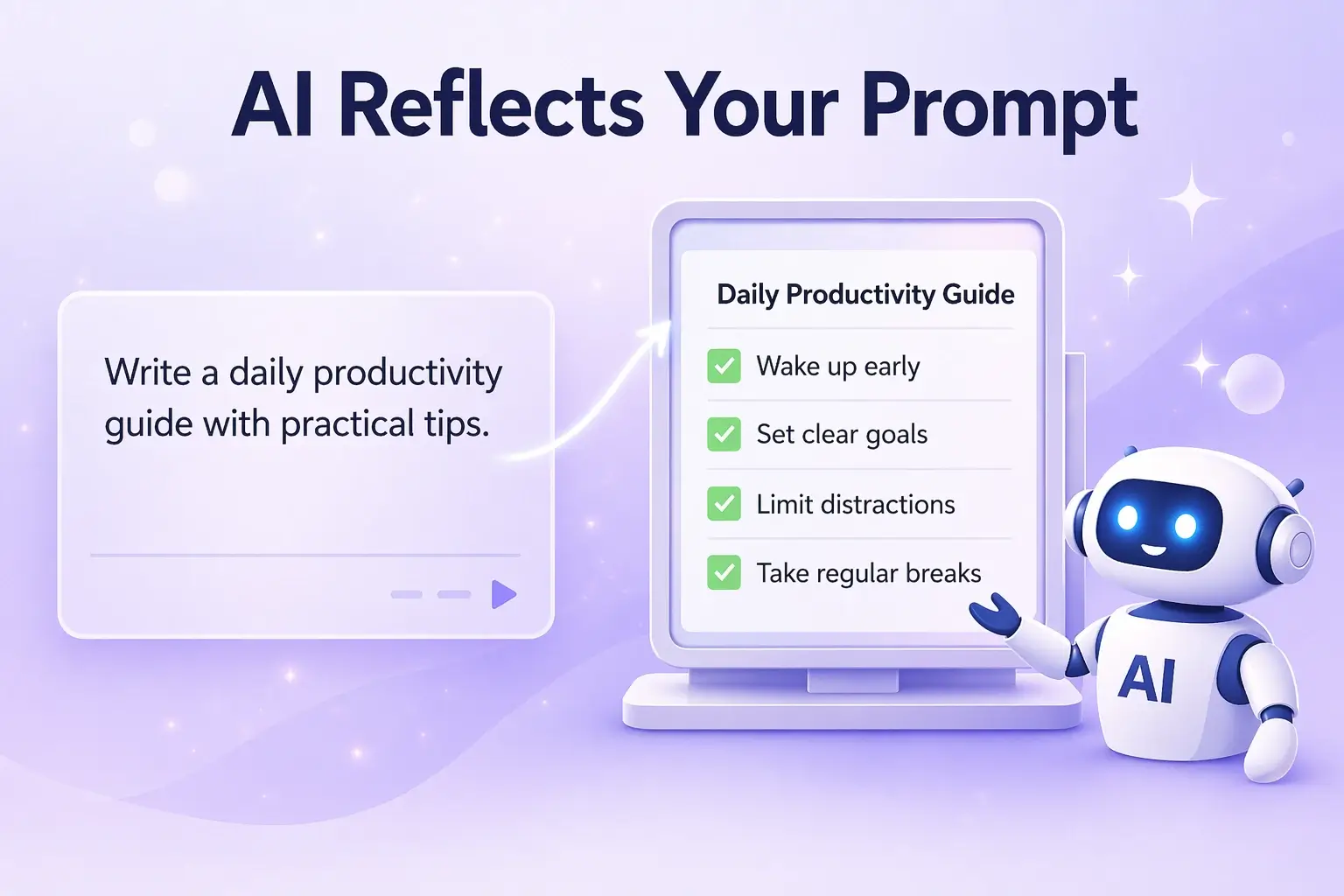
What Makes a Prompt Better
A better prompt usually has five simple parts.
Clear Goal
The AI should know exactly what you want it to do.
Bad:
“Help me.”
Better:
“Help me write a short introduction for a beginner blog post about AI tools.”
The clearer your goal, the better your result.
Useful Context
Context tells the AI what kind of situation, audience, or purpose it should consider.
Example:
“I am writing for beginners who have never used AI before.”
That one sentence can improve the answer a lot.
Specific Format
If you want bullets, steps, a table, a paragraph, or a checklist, say so clearly.
Example:
“Give the answer in 5 bullet points.”
“Explain in a short paragraph.”
“Write the output as a step-by-step guide.”
It also helps to clearly tell the AI what kind of final result you expect.
Reasonable Constraints
Constraints (limits/conditions) help control length, tone, or style.
Examples:
- Use simple English
- Keep it under 150 words
- Avoid technical jargon
- Write in a professional tone
This is one of the easiest ways to improve output quality.
Simple Follow-Up
Your first prompt does not have to be perfect. Good prompting improves step by step. You can improve your prompt step by step by checking the result and making small changes.
That means you can ask:
- “Make this shorter.”
- “Use simpler words.”
- “Add one example.”
- “Turn this into bullet points.”
- “Rewrite this for beginners.”
That is normal. In fact, it is one of the best habits you can build.
Good prompts are especially useful for students working on assignments, notes, and research. You can explore practical tools in our guide on the Best AI tools for students.
Simple Prompt Formula for Beginners
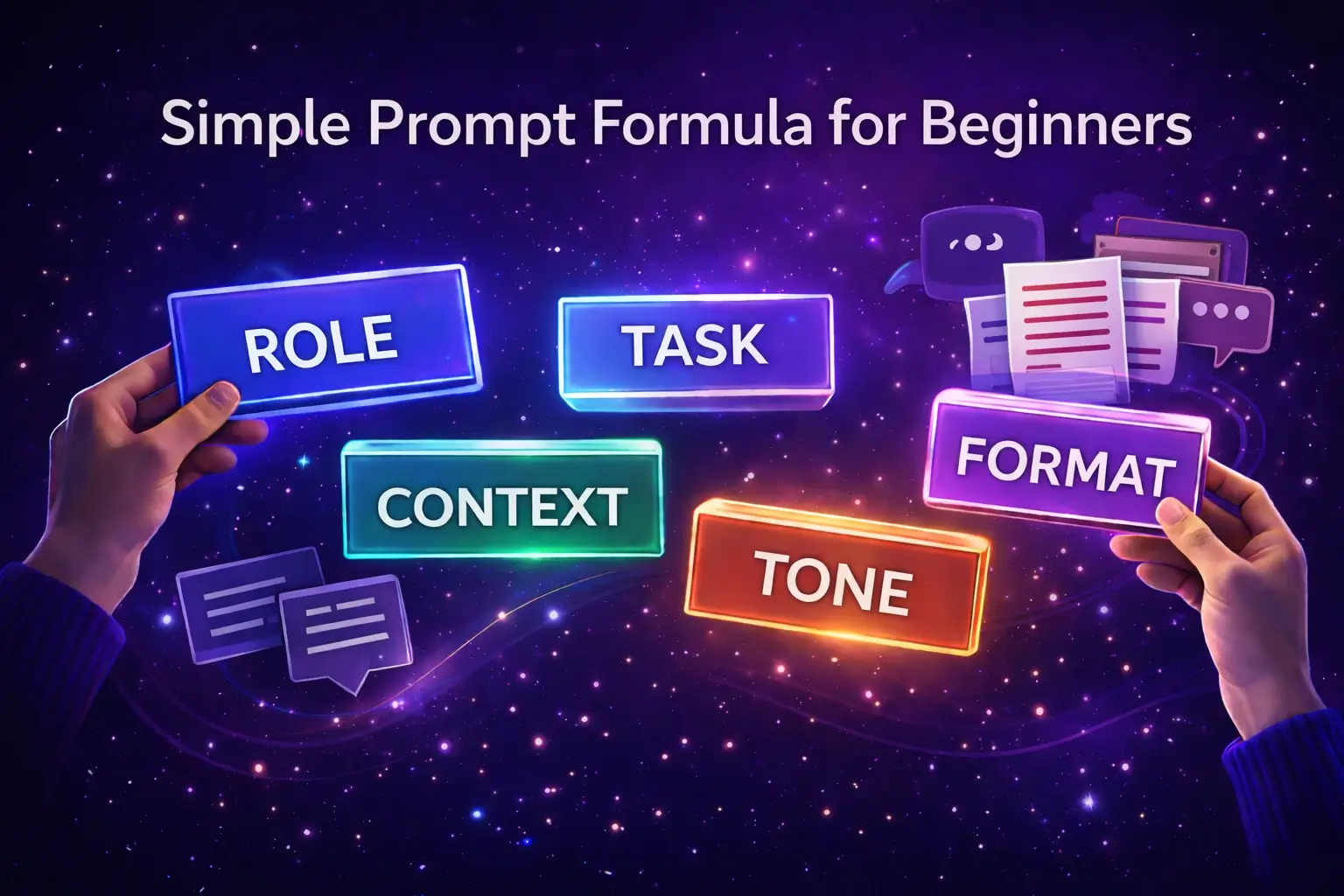
If you feel confused about prompting, use this basic formula:
“Task + Context + Format + Tone”
Here is a simple version:
“Do [task] for [context/audience] in [format] using [tone/style].”
Examples:
“Explain SEO for complete beginners in one short paragraph using simple English.”
“Turn these rough notes into 5 clear bullet points for a student.”
“Write a polite email asking for a meeting, in a professional but friendly tone.”
This formula is simple, but it works very well for beginners because it gives the AI enough direction without making your prompt too long.
If you want a slightly stronger version, use:
“Role + Task + Context + Format + Tone”
Example:
“Act like a writing assistant. Rewrite this paragraph for beginners, in simple English, using short sentences.”
It also helps to give examples or a clear structure when you want a specific type of answer.
Better prompts can help you discover high-quality keyword ideas. Learn How to do keyword research for blogging using AI.
How to Write Better Prompts Step by Step
You do not need to master everything at once. Use this simple process.
Step 1: Start with the exact task
Ask yourself:
What do I actually want from the AI?
Examples:
- Summarize notes
- Rewrite text
- Explain a topic
- Generate ideas
- Create a plan
Be specific.
Instead of:
“Help with this.”
Write:
“Summarize this article in simple English.”
Step 2: Add useful context
Tell the AI who the answer is for or what situation it should consider.
Examples:
- For beginners
- For a student
- For a blog post
- For a client email
- For personal productivity
Context improves relevance.
Step 3: Ask for a format
This is one of the easiest prompt upgrades.
Examples:
- In bullet points
- As a checklist
- In a short paragraph
- In step-by-step format
- As a table
When format is clear, the answer is easier to use.
Step 4: Add tone or style
This helps the answer feel right.
Examples:
- Simple English
- Professional tone
- Friendly tone
- Clear and direct
- Beginner-friendly
This is especially useful for writing, email drafts, blog sections, and explanations.
Step 5: Refine after the first output
Prompting is not a one-shot skill. It is a process.
If the first answer is weak, ask:
- “Make it shorter.”
- “Give me a more practical version.”
- “Add one real example.”
- “Rewrite this for a complete beginner.”
- “Make this more structured.”
That is how better prompting usually works in real use.
Good prompts can help you in real-life tasks like writing, planning, and productivity. Learn more in our guide on How to use AI for daily productivity.
Prompt Examples: Weak vs Better Prompts
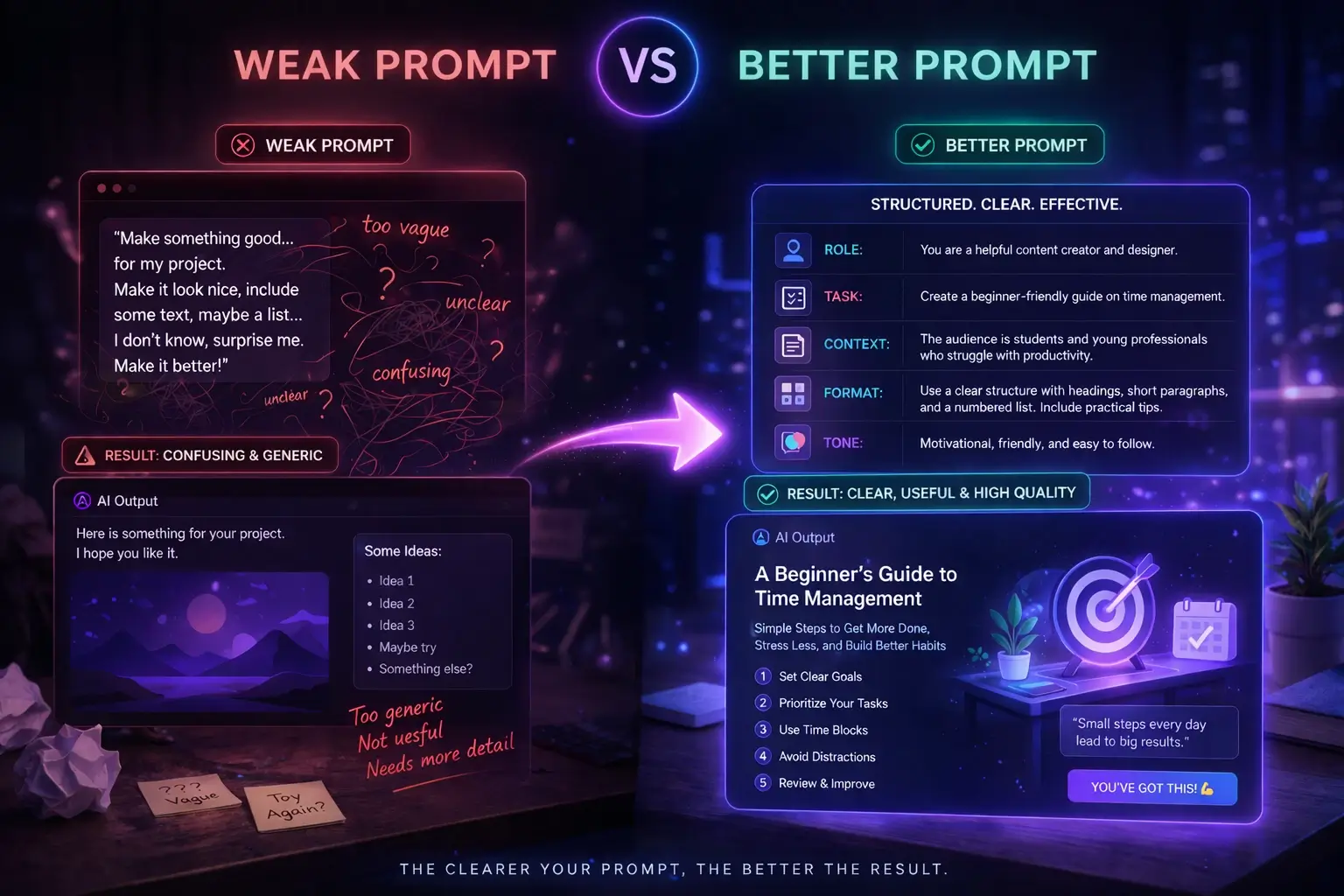
Example 1: Writing
Weak prompt:
“Write a blog intro.”
Better prompt:
“Write a 100-word introduction for a beginner-friendly blog post about AI productivity in simple English. Use a calm, practical tone and mention one real-life use case.”
Why the second one is better:
- Clear word count
- Clear topic
- Target audience
- Tone
- Use-case instruction
Better prompts can help you create SEO-friendly content that ranks. Learn more in our guide on How to get blog traffic using AI.
Example 2: Email
Weak prompt:
“Write an email.”
Better prompt:
“Write a short and polite email to my manager asking for one extra day to finish a report. Keep the tone professional and respectful.”
Example 3: Summarizing
Weak prompt:
“Summarize this.”
Better prompt:
“Summarize this text in 5 bullet points for a beginner. Keep the language simple and include the main takeaway at the end.”
Example 4: Learning
Weak prompt:
“Explain SEO.”
Better prompt:
“Explain SEO in simple English for a beginner who has never worked in digital marketing. Use one real-world example.”
Example 5: Planning
Weak prompt:
“Help me plan my day.”
Better prompt:
“Turn this messy task list into a simple plan for today. Put the tasks in priority order and keep the final answer in checklist format.”
You can see the pattern. Better prompts usually become better because they remove confusion.
Better prompts can improve your blog content. Learn How to start blogging with AI effectively.
How to Write Better Prompts for Different Tasks
Writing and Rewriting
For writing tasks, prompts work better when you clearly define:
- Audience
- Tone
- Format
- Purpose
Example:
“Rewrite this paragraph in simple English for beginners. Keep the meaning the same, but make it clearer and easier to read.”
If writing is your main use case, connect this article to Best AI Writing Tools for Beginners.
Summaries and Research
For summaries, you should define:
- How short the summary should be
- Who it is for
- Whether you want bullets, steps, or a paragraph
Example:
“Summarize this article into 6 bullet points for a beginner reader. Focus only on the main ideas.”
This works well in ChatGPT, Claude, and Gemini, especially when the input is clear and the expected format is defined.
Planning and Productivity
For planning tasks, prompts work better when you give:
- Your goal
- Your available time
- Your current problem
- Your preferred output
Example:
“I have 7 tasks and only 4 hours today. Turn them into a priority-based schedule in checklist format.”
Better prompts produce better portfolio samples. Once you’re comfortable creating high-quality AI drafts, the next step is organizing those samples into a professional portfolio. Our guide on How to Build an AI Freelancing Portfolio With No Experience shows you exactly how.
Learning and Explanations
For learning, beginners often get better results when they ask AI to:
- Explain simply
- Use examples
- Avoid jargon
- Compare ideas clearly
Example:
“Explain the difference between SEO and paid ads in simple English with one easy example.”
Ideas and Brainstorming
For idea generation, prompts improve when you define:
- Topic
- Audience
- Platform
- Type of idea
Example:
“Give me 10 beginner-friendly blog post ideas about AI tools for students. Keep them practical and SEO-friendly.”
This is useful for content creation, blogging, freelancing, and planning future articles.
One practical area where better prompts make a big difference is on-page SEO. Our guide on On-Page SEO for Blog Posts includes specific prompts you can use with ChatGPT and Claude to optimize every article faster.
Best AI Models for Prompt-Based Work in 2026
1. ChatGPT
Most modern AI tools are now very powerful and can handle complex tasks when your prompt is clear.
For everyday users, ChatGPT remains one of the easiest places to practice prompting because it is flexible and works well across writing, brainstorming, summaries, explanations, and planning.
Best for:
- General prompting practice
- Writing and rewriting
- Flexible daily tasks
- Beginner experimentation
Most people use tools like ChatGPT daily, but without proper prompts, the results can feel limited. If you’re new, check our guide on How to use ChatGPT for beginners.
2. Claude
Claude is also designed to handle longer tasks, structured writing, and detailed thinking when your prompt is clear.
For many beginners, Claude is especially strong when prompts need structure, careful wording, and more organized output.
Best for:
- Structured writing
- Long-form summaries
- Thoughtful analysis
- Clearer organized responses
Tools like Claude are especially good at handling well-structured prompts and long-form responses. Learn How to use it effectively in our Claude AI beginner guide.
3. Gemini
Google also suggests that better prompts come from clear goals, simple instructions, and improving your prompt step by step.
For prompt-based work, Gemini is useful for users who already work inside Google’s ecosystem and want planning, drafting, or explanation support with Google-connected workflows.
Best for:
- Google ecosystem workflows
- Drafting and planning
- Beginner learning support
- Structured prompt experiments
If you’re confused about which tool responds better to prompts, read our detailed comparison of ChatGPT vs Claude for beginners.
Common Prompt Mistakes Beginners Make
Most beginners make the same mistakes at the start.
The first mistake is being too vague. If your prompt is too short and unclear, the answer will usually be weaker.
The second mistake is asking for too much at once. A long confusing request with five goals can reduce output quality. It is better to ask clearly and step by step.
The third mistake is giving no context. AI can guess, but it performs better when you explain the audience, purpose, or situation.
The fourth mistake is not asking for a format. If you want steps, bullets, or a short summary, say so.
The fifth mistake is trusting the first output too quickly. Good prompting includes review and refinement.
The sixth mistake is copying prompts without understanding them. Prompt templates are useful, but beginners get better results when they understand why a prompt works.
Better prompts can help you create better content. See how in our AI content creation guide.
Simple Prompt Workflow for Better Results
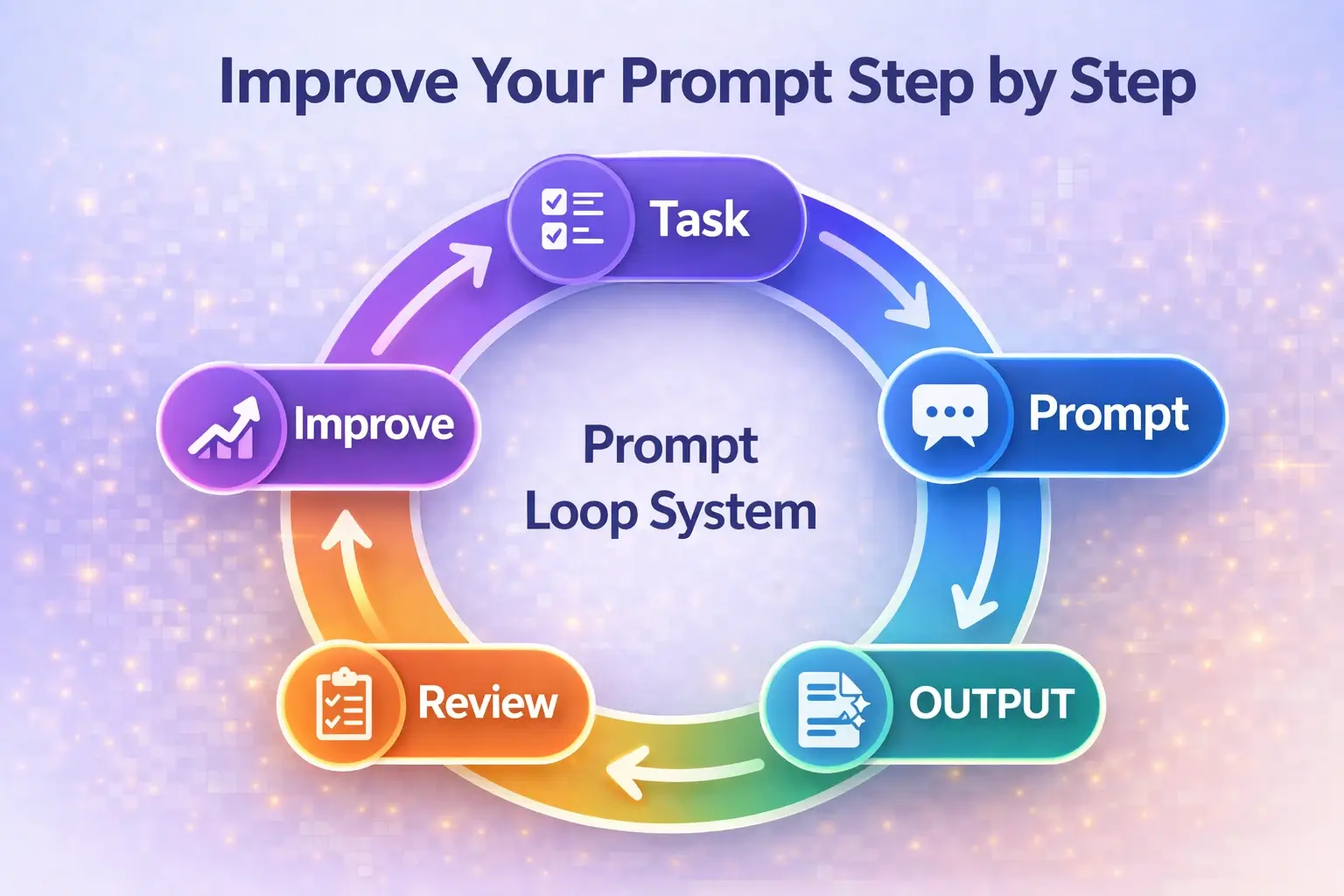
Step 1: Decide the task
Choose one clear task:
- Summarize
- Explain
- Rewrite
- Plan
- Brainstorm
Step 2: Add context
Say who the answer is for or what situation matters.
Example:
“For a beginner.”
“For a client email.”
“For a blog post.”
Step 3: Ask for a format
Example:
“Use 5 bullet points.”
“Write a short paragraph.”
“Give a step-by-step answer.”
Step 4: Review the response
Check:
- Accuracy
- Clarity
- Tone
- Usefulness
Step 5: Refine the prompt
Ask for:
- Simpler language
- Shorter version
- One example
- Stronger structure
- Better formatting
This simple workflow is enough for most beginners. start clearly, review the output, and improve it step by step.
One of the most valuable places to apply better prompts is in your professional freelancing workflow. Our guide on AI Freelancing for Beginners shows you exactly how prompting fits into the complete process of delivering client work using AI tools.
Final Thoughts
The best way to write better prompts for AI is not to overcomplicate it.
You do not need secret prompt formulas. You do not need technical language. You do not need to sound like an expert. You just need to be clearer.
Start with the task. Add context. Ask for a format. Choose a tone. Then improve the output with follow-up prompts. That is how real prompting gets better.
For beginners, this is one of the most useful AI skills to learn because it improves results across ChatGPT, Claude, Gemini, and many other tools.
You can also explore our list of the Best new AI tools in 2026 to see how different tools respond to prompts.
Frequently Asked Questions
What is an AI prompt?
An AI prompt is the instruction or request you give to an AI tool so it understands what you want it to do.
Why do better prompts matter so much?
Better prompts usually lead to clearer, more useful, and more accurate results because they reduce confusion.
What is the easiest prompt formula for beginners?
A simple and useful formula is: Task + Context + Format + Tone.
Can I use the same prompt style in different AI tools?
Yes. Good prompting principles usually work across many tools, although some models may respond slightly differently.
Is it okay to ask follow-up questions after the first answer?
Yes. In fact, refining your prompt after the first output is one of the best ways to improve results.
Which AI tool is best for learning prompt writing?
For most beginners, ChatGPT is an easy place to start, while Claude is also strong for structured output and Gemini is useful for Google-based workflows.
Do prompts need to be long?
No. A prompt does not need to be long. It only needs to be clear enough for the AI to understand your goal.

Hi, I’m Harshil Patel, founder of Arthify.
I share simple, practical guides on AI tools, blogging, and online earning to help beginners work smarter and grow online.
My goal is to simplify AI tools so anyone can build skills and create opportunities in the digital world.