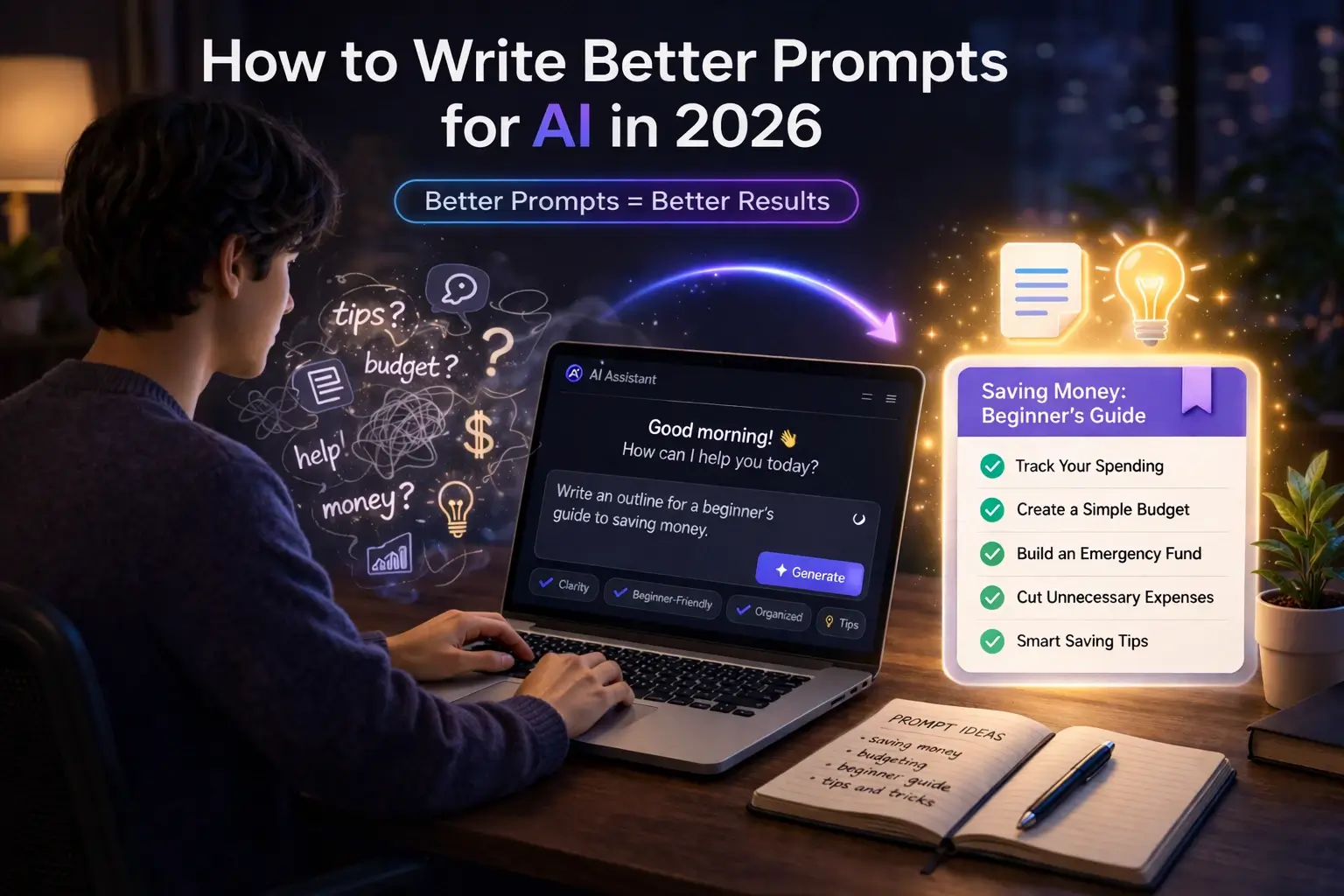
“This beginner-friendly guide explains how to use AI for content creation in 2026, including ideas, writing, planning, editing, and simple workflows that help beginners create better content faster.”
If you are new to AI, content creation is one of the easiest and most useful places to begin.
You do not need to be a full-time creator, designer, or writer to use AI well. In fact, many beginners now use AI for simple tasks like generating ideas, building content outlines, writing first drafts, improving captions, rewriting rough text, and planning posts more clearly.
That is why AI content creation is such an important beginner topic. It is not just about making things faster. It is about reducing confusion and helping you create with more structure.
If you’re completely new, we recommend starting with our step-by-step guide on How to use AI tools as a beginner in 2026.
What Does AI Content Creation Really Mean
AI content creation means using AI tools to help you plan, write, improve, organize, or repurpose content.
This does not mean AI should do everything alone. It means AI can support different parts of the process, such as:
- Finding ideas
- Creating outlines
- Writing first drafts
- Rewriting weak sections
- Shortening long text
- Turning one idea into many formats
- Improving clarity and structure
In simple terms, AI can help you move from a blank page to a working draft faster.
For beginners, that matters a lot. Starting is often the hardest part of content creation. AI helps reduce that starting friction.
Why AI Is Useful for Content Creation
AI is useful for content creation because it saves time and removes some of the stress that comes with creating from scratch.
For example, instead of staring at a blank page and wondering what to write, you can ask AI to help you:
- Suggest blog ideas
- Build a simple outline
- Write a draft introduction
- Rewrite rough text
- Create 10 caption ideas
- Turn a long article into shorter content pieces
That is why AI is becoming part of many creator workflows.
Today’s AI tools are getting better at helping with content creation. They can help you write, plan, edit, and even create images or videos.
For beginners, the most important thing is not the tool itself, but how clearly you use it. If your instructions are clear, you will usually get better results. The main benefit is simple: AI helps you create faster, but it still works best when you guide it clearly.
If you want to turn your content creation skills into actual income, our guide on How to Make Money with AI in 2026 covers exactly how beginners are earning with AI-assisted writing, video editing, and digital products right now.
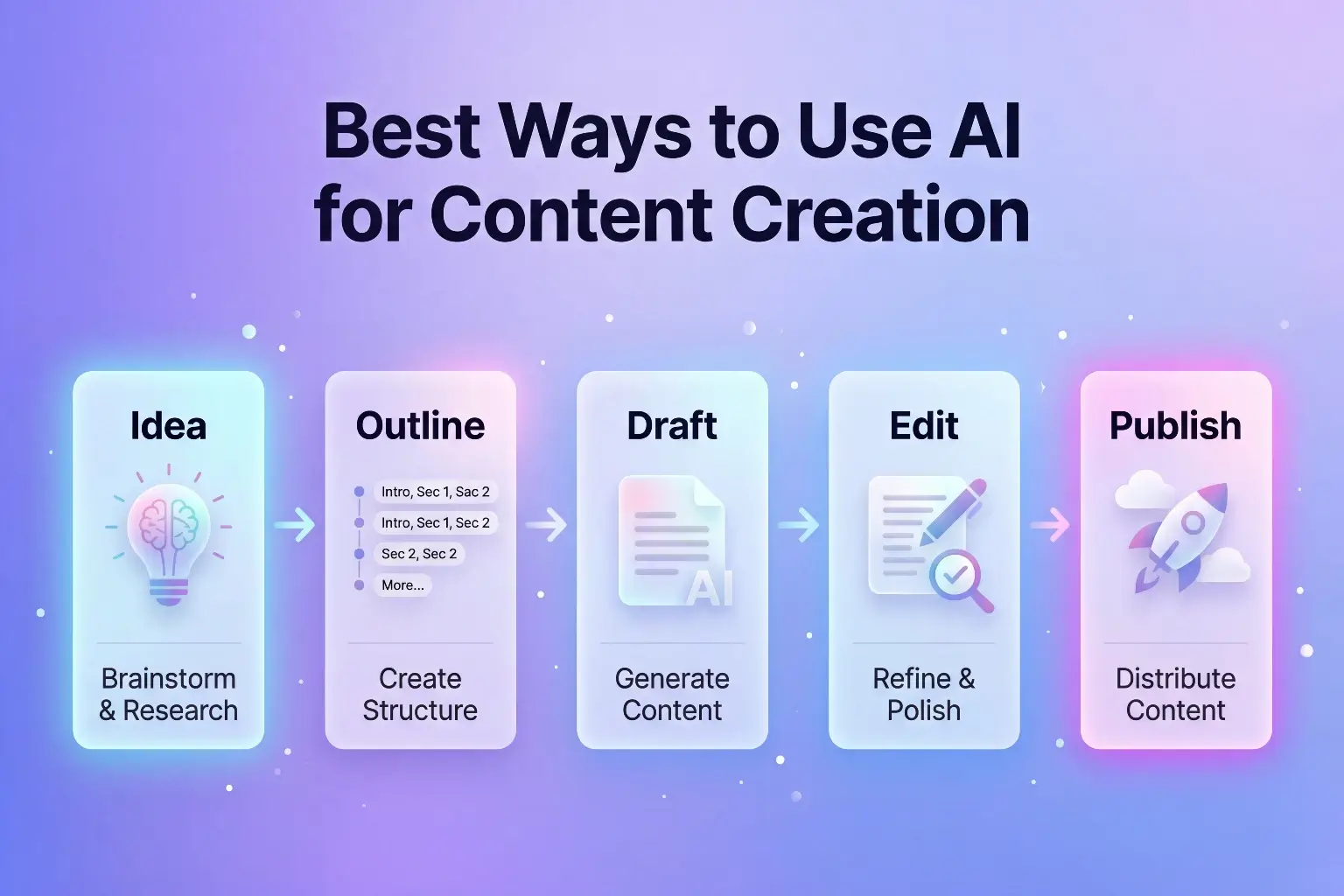
Best Ways to Use AI for Content Creation
Content Ideas
This is one of the easiest starting points.
If you do not know what to create, AI can help you think of:
- Blog topic ideas
- Social post angles
- Video topics
- Caption ideas
- Hook ideas
- FAQ ideas
Example prompt:
“Give me 10 beginner-friendly content ideas about AI tools for students.”
This saves time and helps you avoid getting stuck at the start.
Outlines and Planning
AI is also very useful for turning a rough idea into a cleaner structure.
You can ask it to:
- Build a blog outline
- Create post sections
- Suggest headings
- Organize points in a logical order
- Turn scattered notes into a clear plan
Example prompt:
“Create a simple blog outline for a beginner article about using AI for writing emails.”
This is one of the best ways to improve your content workflow.
Creating great content is only part of the equation. How you organize and connect that content is what builds long-term rankings. Our guide on How to Build Topical Authority for Your Blog covers the full system.
Writing Drafts
AI can help you write a first draft faster. That does not mean you should copy and paste everything without checking. It means AI can help you build momentum.
Good beginner uses include:
- Writing introductions
- Explaining ideas in simple English
- Expanding short notes
- Creating short paragraphs
- Generating first drafts you can improve later
If your main focus is writing, you can also check Best AI Writing Tools for Beginners.
Rewriting and Editing
This is one of the most practical uses of AI.
You can use AI to:
- Rewrite awkward sentences
- Simplify complex text
- Shorten long paragraphs
- Make writing more clear
- Improve flow between sections
- Change tone from casual to professional
For beginners, this is often more useful than asking AI to create everything from zero.
Captions and Short Content
AI is also good for short-form content.
You can ask it to:
- Write Instagram captions
- Turn a blog point into a short post
- Write YouTube title ideas
- Suggest email subject lines
- Create bullet-point summaries
- Turn one idea into several content snippets
This helps you get more value from one content idea.
Before creating content, it’s important to plan what to publish. Learn How to create a content plan for your blog using AI.
How to Use AI for Blog Content
AI can be very useful for blog writing if you use it in the right way.
Blogging is one of the most common use cases. Learn How to start blogging with AI step by step.
A beginner-friendly process looks like this:
1. Start with the topic
Choose a clear topic.
Example:
“How to use AI for content creation”
2. Ask for content ideas or angles
Example:
“Give me 8 beginner-friendly angles for a blog post about AI content creation.”
3. Build an outline
Example:
“Create a simple outline for a beginner blog post about using AI for content creation in 2026.”
4. Draft section by section
Instead of asking AI to write the full article in one go, ask for one section at a time.
That usually gives better control and better quality.
5. Rewrite in your own style
This part is important.
AI can help build the draft, but your final article should still feel natural, useful, and human. You should review the writing, remove weak parts, and adjust the tone so it fits your site.
After creating your content, the final step before publishing is optimization. Our guide on On-Page SEO for Blog Posts covers every element from title tags and headings to internal links and image alt text.
How to Use AI for Social Media Content
AI can make social content creation much easier for beginners.
You can use it to:
- Generate post ideas
- Write hooks
- Draft captions
- Turn blog content into short posts
- Suggest carousel points
- Rewrite one idea into multiple caption styles
Example prompt:
“Turn this blog point into 5 simple Instagram caption ideas for beginners.”
This is useful because social content often needs variety, speed, and short clear wording.
You can also learn how to use AI in real life with our guide on How to use AI for daily productivity.
How to Use AI for Video Scripts and Content Ideas
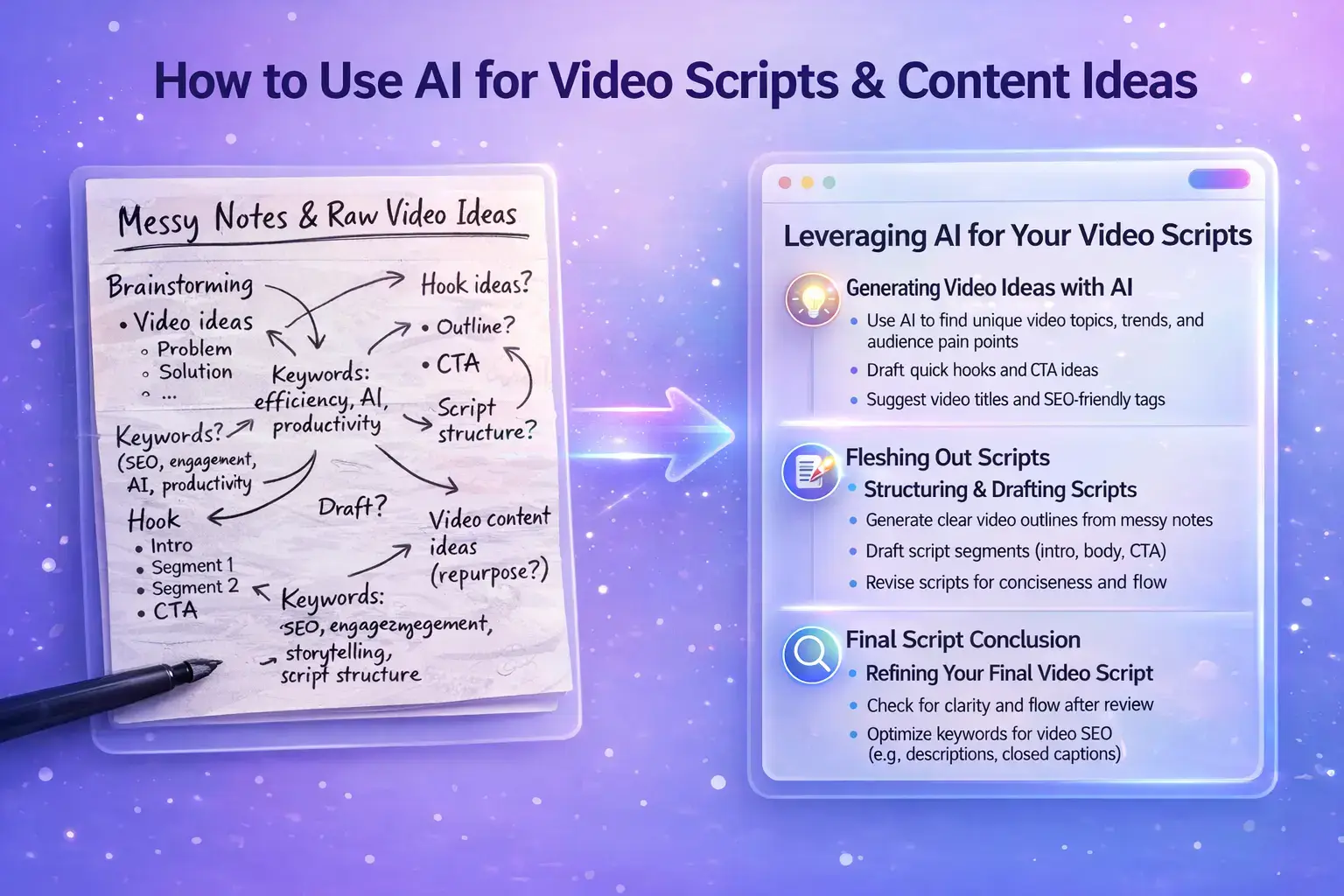
AI is also useful for video-related content, even for beginners.
You can use it to:
- Write short video scripts
- Suggest hook ideas
- Build talking points
- Summarize a blog post into a script
- Turn a long article into YouTube Shorts ideas
- Suggest thumbnail text ideas
Example prompt:
“Turn this article into a 45-second beginner-friendly video script.”
This makes it easier to turn one idea into different types of content, like blog posts, short videos, or captions.
Content performs better when it’s based on the right keywords. Learn more in our guide How to do keyword research for blogging using AI.
Best AI Tools for Content Creation in 2026
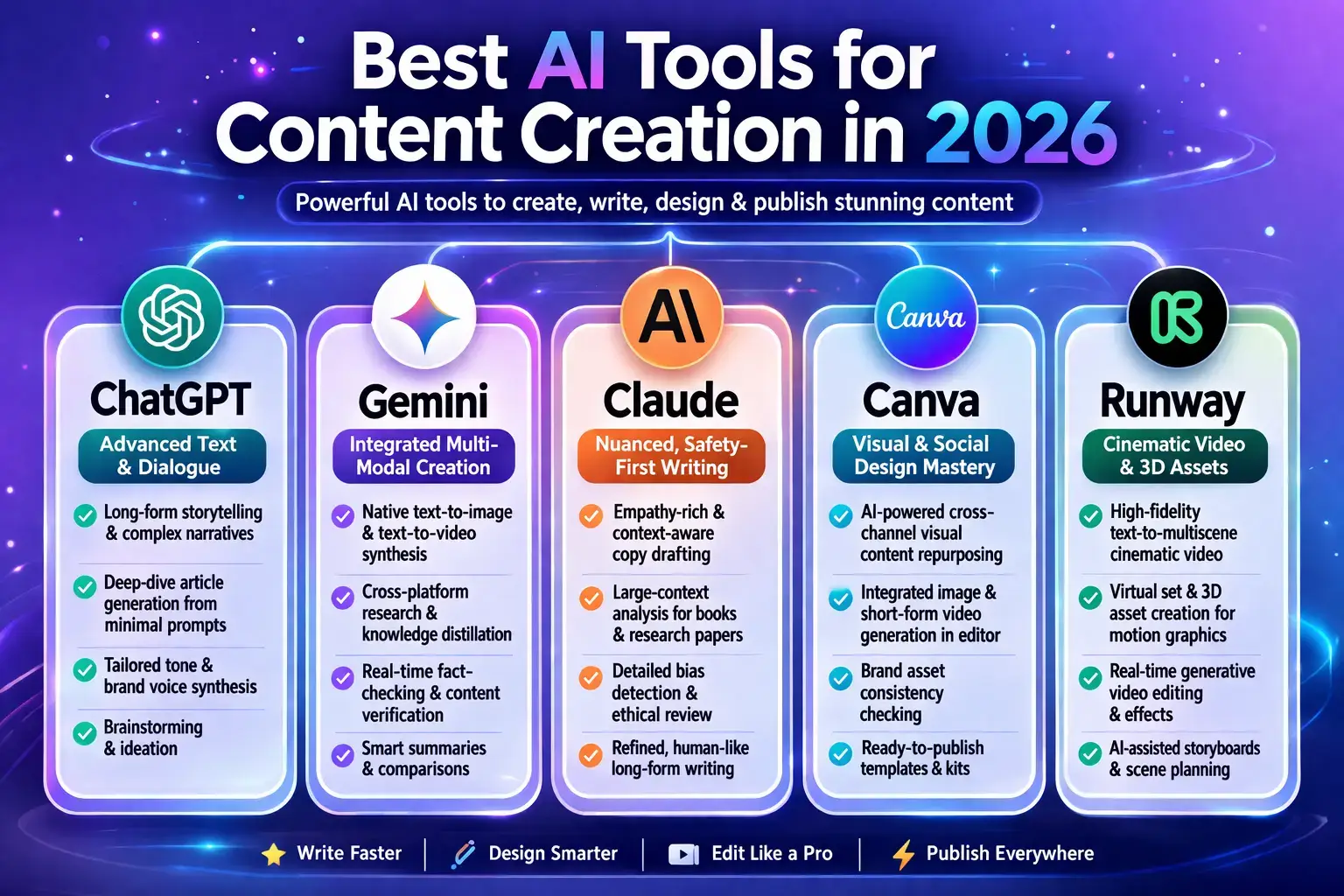
1. ChatGPT
ChatGPT is still one of the easiest tools for beginners who want help with:
- Blog ideas
- Writing drafts
- Rewriting text
- Caption ideas
- Script outlines
- General content planning
Best for:
- Flexible writing help
- Brainstorming
- General content creation
- Beginner prompting practice
For writing blogs, scripts, and captions, tools like ChatGPT are widely used. If you’re new, check our guide on How to use ChatGPT for beginners.
2. Claude
Claude is a strong choice when you want more structured writing and calmer long-form output.
Best for:
- Long-form writing
- Structured articles
- Better organized drafts
- Clear rewriting support
Claude is especially useful for structured and long-form writing. Learn how to use it step by step in our Claude AI beginner guide.
3. Gemini
Gemini is useful for planning, writing, and general content tasks, especially if you use Google tools.
Best for:
- Google-based workflows
- Drafting support
- Research and idea help
- Everyday creator tasks
4. Canva
Canva is very useful when your content creation includes:
- Social posts
- Thumbnails
- Quick designs
- Visual content repurposing
Best for:
- Easy design work
- Social content visuals
- Carousels and simple graphics
- Beginner-friendly creative workflows
Students creating projects can use these tools. Check our AI tools for students guide.
5. Runway
Runway is one of the most important AI tools if you want to move beyond text and into visual content or video content later.
It is helpful if you want to create or edit video content using AI.
Best for:
- Video generation
- Creative visuals
- Editing support
- Future video content workflows
If you want to explore more tools, you can also check Best New AI Tools in 2026.
Simple AI Content Workflow for Beginners
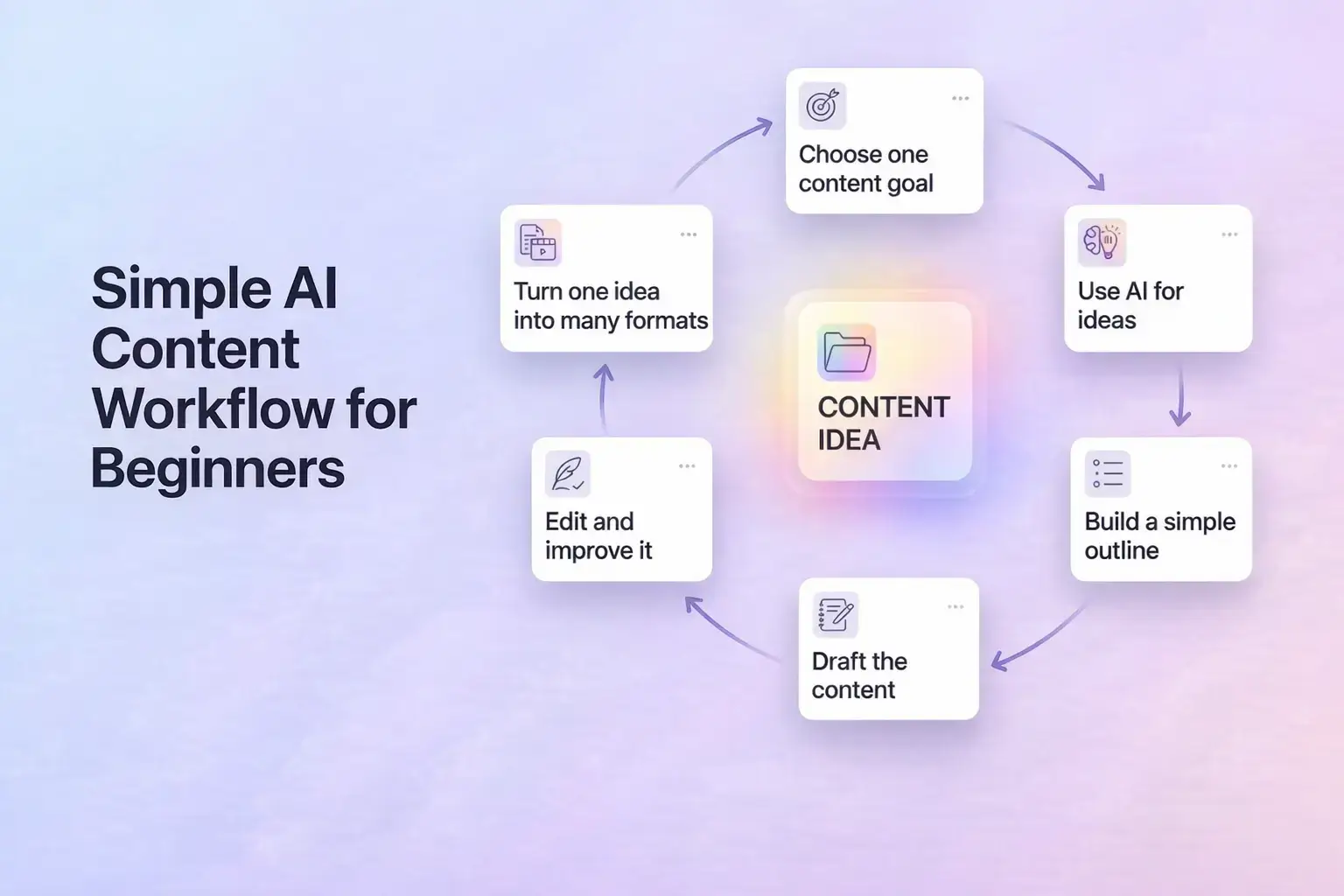
Step 1: Choose one content goal
Start simple.
Choose one type of content:
- Blog post
- Instagram caption
- LinkedIn post
- Video script
- Email draft
Do not try to build everything at once.
Step 2: Use AI for ideas
Ask AI for:
- Topic ideas
- Headline ideas
- Audience angles
- Beginner questions
- Content formats
Step 3: Build a simple outline
Once you have the idea, ask AI to create a clear structure.
Example:
“Create a beginner-friendly outline for a blog post about using AI for content creation.”
Step 4: Draft the content
Write section by section.
This gives you more control and reduces weak, generic output.
Step 5: Edit and improve it
Review the output carefully.
Check:
- Clarity
- Accuracy
- Tone
- Repetition
- Usefulness
This is where your real quality comes from.
To get better results from AI tools, you also need to improve your prompts. Learn how in our guide on How to write better prompts for AI.
Step 6: Turn one idea into many formats
This is one of the smartest ways to use AI.
One blog idea can become:
- Blog post
- Caption
- Short script
- Tweet-style post
- An Email
- Content checklist
That is how AI helps with repurposing, not just writing.
Creating content is only one part – the next step is getting people to read it. Check our guide on How to get blog traffic using AI.
Common Mistakes Beginners Make
Beginners usually make the same mistakes when using AI for content creation.
The first mistake is asking AI to do everything in one prompt. That often creates generic output.
The second mistake is copying AI text without checking it. You should always review and improve the draft.
The third mistake is using vague prompts. If your instructions are weak, the result will usually be weak too.
The fourth mistake is using AI only for writing and ignoring planning, outlining, and editing. AI is much more useful when you use it across the full content process.
The fifth mistake is trying too many tools too early. Start with one or two tools. Learn them properly first.
The sixth mistake is forgetting your reader. Even when AI helps you, the final content should still be clear, helpful, and written for real people.
Final Thoughts
The best way to use AI for content creation is not to depend on it blindly.
Use AI as a support tool.
Let it help you:
- Find ideas
- Build outlines
- Write drafts
- Improve weak sections
- Repurpose one idea into more content
But always keep your final goal clear: useful content for real readers.
For beginners, this is one of the best practical uses of AI because it turns AI from a fun tool into a real creative assistant.
If you’re interested in AI video creation, you can also explore tools like Sora AI and see what’s happening with it and its alternatives.
Frequently Asked Questions
What does AI content creation mean?
AI content creation means using AI tools to help with ideas, planning, drafting, rewriting, editing, or repurposing content.
Can beginners use AI for content creation?
Yes. Beginners can use AI for simple tasks like finding ideas, building outlines, drafting short content, and improving rough writing.
What is the best AI tool for content creation?
For many beginners, ChatGPT is an easy starting point. Claude is also strong for structured writing, while Gemini is useful for Google-based workflows.
Can I use AI for blog writing?
Yes. AI can help with blog ideas, outlines, first drafts, rewriting, and editing. It works best when you review and improve the content yourself.
Can AI help with social media content?
Yes. AI can help create caption ideas, hooks, post angles, and short-form content from one bigger idea.
Is AI good for video content too?
Yes. AI can help with scripts, hook ideas, and even video generation tools. Platforms like Runway now focus heavily on creative video workflows.
Should I publish AI-generated content without editing?
No. You should always review, improve, and adjust the output so it is useful, accurate, and natural.

Hi, I’m Harshil Patel, founder of Arthify.
I share simple, practical guides on AI tools, blogging, and online earning to help beginners work smarter and grow online.
My goal is to simplify AI tools so anyone can build skills and create opportunities in the digital world.